
Spaces
Every Space is a public Forgejo repository with the space topic. A Space can either run and embed a Docker application or open a configured website directly.
Supported application styles
The seed catalog demonstrates Gradio, static HTML, React, Vue, Next.js, Streamlit, FastAPI, and Node.js. These are examples rather than a hard allowlist: a CPU-capable web server that can be containerized and proxied can work.
Repository metadata
Use README frontmatter for the card title, emoji, SDK label, and tags:
---
title: Local audio utility
emoji: "🎧"
sdk: docker
tags:
  - audio
  - utility
---
The Forgejo space topic selects the catalog type. README tags classify the project inside its card; they do not replace the topic.
Link-type Spaces
Set external_url to an absolute HTTP or HTTPS URL when the Space should open an existing website instead of building and embedding a container:
---
title: Product documentation
emoji: "🧭"
external_url: https://docs.example.com/
---
The Spaces card shows an External site badge and opens that URL directly. The default repository page redirects to the same destination. Files and settings remain available in Forgejo. Invalid URLs and non-HTTP schemes are ignored, so the repository falls back to a normal Docker Space.
The seed catalog includes seraphim-labs/openface-documentation as a working example. Seeded CPU Spaces live under the angel-themed seraphim-labs organization; OpenFace itself remains the platform organization.
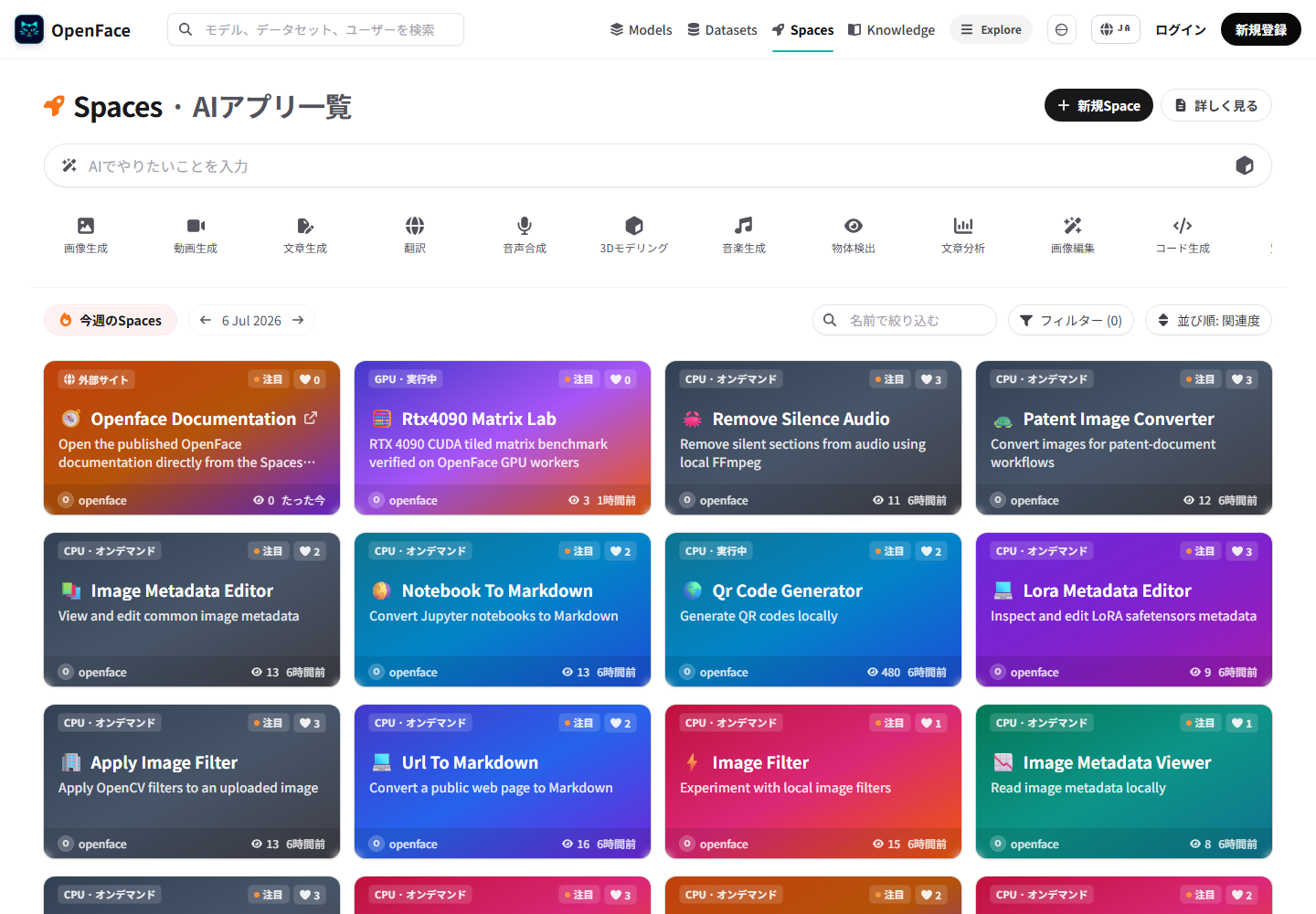
The desktop and mobile browser evidence records the rendered card, direct navigation, redirect response, and overflow checks.
Docker Spaces
Docker Spaces use a root Dockerfile. The container must listen on port 7860 and accept the path prefix supplied by OpenFace when the framework supports one.
Runtime behavior
- CPU Spaces can stay running when
IDLE_TIMEOUT_MINUTES=0. - The default running limit is 24 and can be changed with
MAX_RUNNING_SPACES. - At capacity, starting another Space stops the least recently accessed Space.
- Stopped public Spaces appear as On demand and can be started and used without signing in.
- Stop, environment-variable, and settings controls still require a signed-in maintainer with write access.
- Browser views and agent API actions feed the same persisted metrics store.
Security warning
The runner mounts /var/run/docker.sock. A malicious Dockerfile can control the Docker host. Review every Space repository and keep repository creation restricted to trusted users unless the runner host is disposable and isolated.