
Getting Started
What the mod does
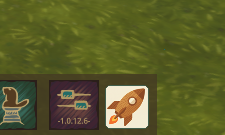
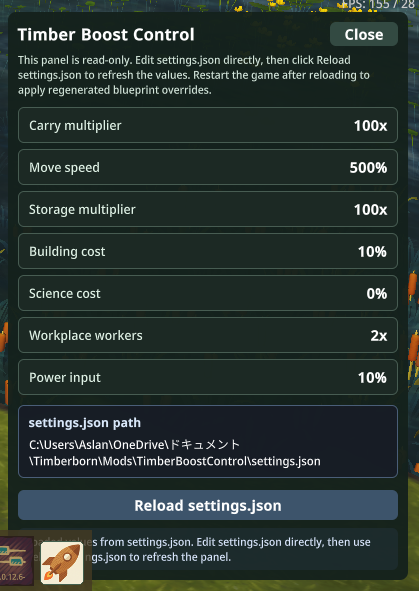
TimberBoostControl adds a launcher to the Timberborn bottom bar, loads settings.json, and generates .blueprint.json overrides inside the mod folder. The in-game panel is a read-only status surface: it shows the current values, exposes the resolved settings.json path, and lets you reload the file to regenerate overrides.
Requirements
- Windows
- Timberborn
1.0.x csc.exefrom.NET Framework 4.xatC:\Windows\Microsoft.NET\Framework64\v4.0.30319\csc.exe- A local Timberborn installation whose
Timberborn_Data\Managedfolder can be resolved bybuild.ps1
Build the DLL
powershell
powershell -ExecutionPolicy Bypass -File .\build.ps1If Timberborn is installed in a non-standard location, pass the game root explicitly:
powershell
powershell -ExecutionPolicy Bypass -File .\build.ps1 -GameRoot "C:\Path\To\Timberborn"Install the mod
- Build
Code.dll. - Copy this repository into
Documents\Timberborn\Mods\TimberBoostControl, or create a junction that points there. - Start Timberborn and enable the mod in Mod Manager.
Runtime flow
- On startup, the mod initializes its working directory and makes sure
settings.jsonexists. - The starter loads the settings and immediately regenerates blueprint overrides from them.
- During gameplay, open the bottom-bar launcher to inspect the active values.
- Edit
settings.jsonoutside the game or while the game is paused. - Click
Reload settings.jsonin the panel. - Restart Timberborn so the regenerated gameplay data is fully applied.
Screenshots
Bottom-bar launcher
Control panel
Generated files
The generator cleans up files listed in .generated-files.txt, writes the current set of overrides, and then refreshes the tracking file. Typical outputs are:
Buildings/**.blueprint.jsonCharacters/**.blueprint.json.generated-files.txt
This keeps the mod folder deterministic and makes it safe to regenerate repeatedly.