Building a Cinematic Terminal for Everyday Commands
Vignette Terminal v0.1.0 starts from a simple idea: a command prompt can stay practical while feeling more like a focused visual workspace.
What It Is
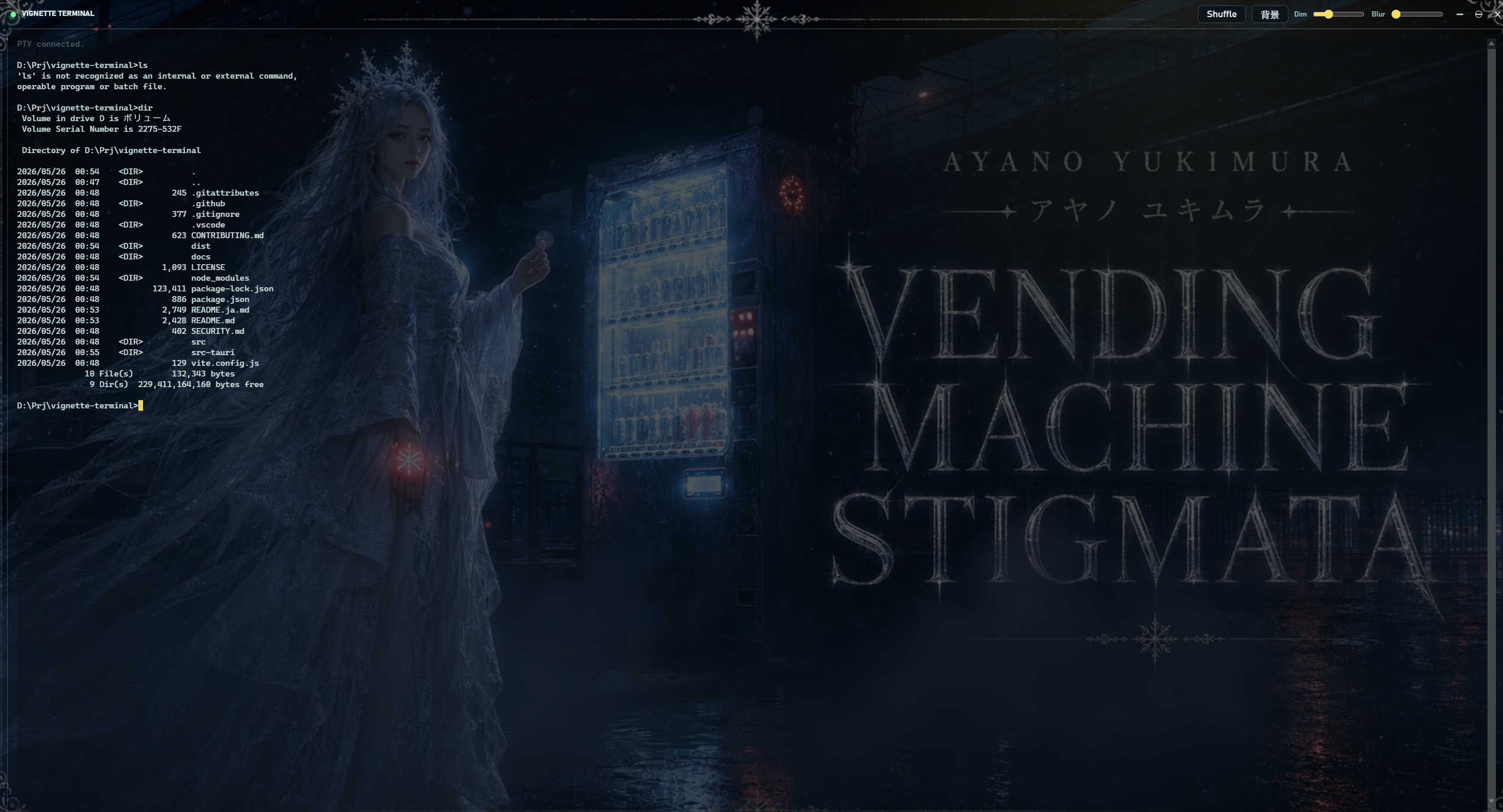
The app is a Tauri desktop terminal that places a real command-line session over a video background. It is not a mock terminal or a static shell view. The backend creates a native PTY with portable-pty, and the frontend renders the session with xterm.js.
On Windows, the default shell is cmd.exe with a familiar prompt format. On other platforms, the app uses the user's SHELL environment variable when available.
Why Video Backgrounds
The media layer is intentionally separate from the terminal layer. The terminal remains readable through a transparent xterm.js canvas, while the background can play bundled clips or user-selected local media. Dim and blur controls help tune the visual intensity without changing terminal behavior.
Smooth Random Playback
The default playlist ships with five MP4 clips. The app picks a random clip, avoids immediately repeating the previous clip when possible, and prepares the next clip before the active one ends. When the next clip can play, the old and new videos overlap with a timed opacity crossfade.
That handoff matters because a hard cut is easy to notice behind terminal text. The v0.1.0 implementation gives the transition extra lead time and keeps only one standby video queued at a time.
Desktop Polish
The window is frameless, with compact custom controls and a draggable top strip. The release also includes simplified app and favicon artwork so the icon remains legible on the Windows taskbar and in small file views.
Shipping The Release
The repository includes CI for the frontend, Rust backend, and docs. A tag matching v* runs the release workflow across Windows, Linux, and macOS, then attaches native Tauri bundles to the GitHub Release.
Try It
Start with the Getting Started guide, or download the bundles from the GitHub Release once v0.1.0 is published.