
Walkthrough: From SSH-Only VM To Mobile-Controlled Codex Desktop
The v0.1.0 release turns a successful one-off setup into a reusable Skill. The goal is straightforward: take an Ubuntu VM that starts as a remote shell and leave it as a Codex Desktop host that a phone can control.
Why This Release Matters
The hardest part of this workflow is not installing a desktop package. It is knowing which proof surface matters. On the Linux Codex Desktop port, Settings > Connections may not show the same device row a desktop user expects. v0.1.0 makes the mobile app control path the finish line and documents the supporting evidence that should be checked around it.
What The Skill Automates For The Operator
The Skill guides Codex through a concrete setup sequence:
- Inventory the Proxmox or SSH-accessible VM.
- Install or repair a lightweight GUI with XFCE and LightDM.
- Launch Codex Desktop in the VM GUI session.
- Enable
remote_connectionsandremote_control. - Sign in with the same account used by the phone.
- Verify that the ChatGPT/Codex mobile app can open and control the VM-backed Codex session.
Proof Images
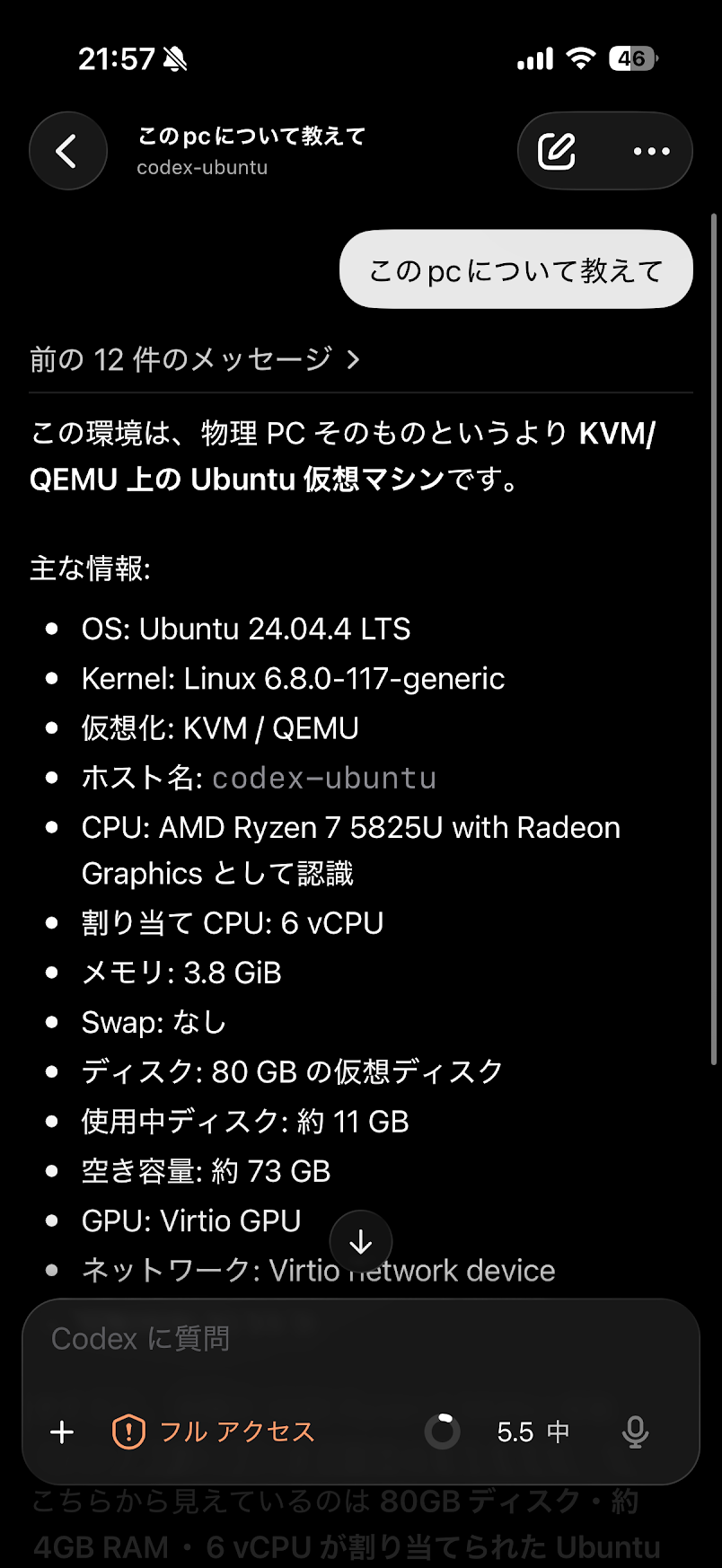
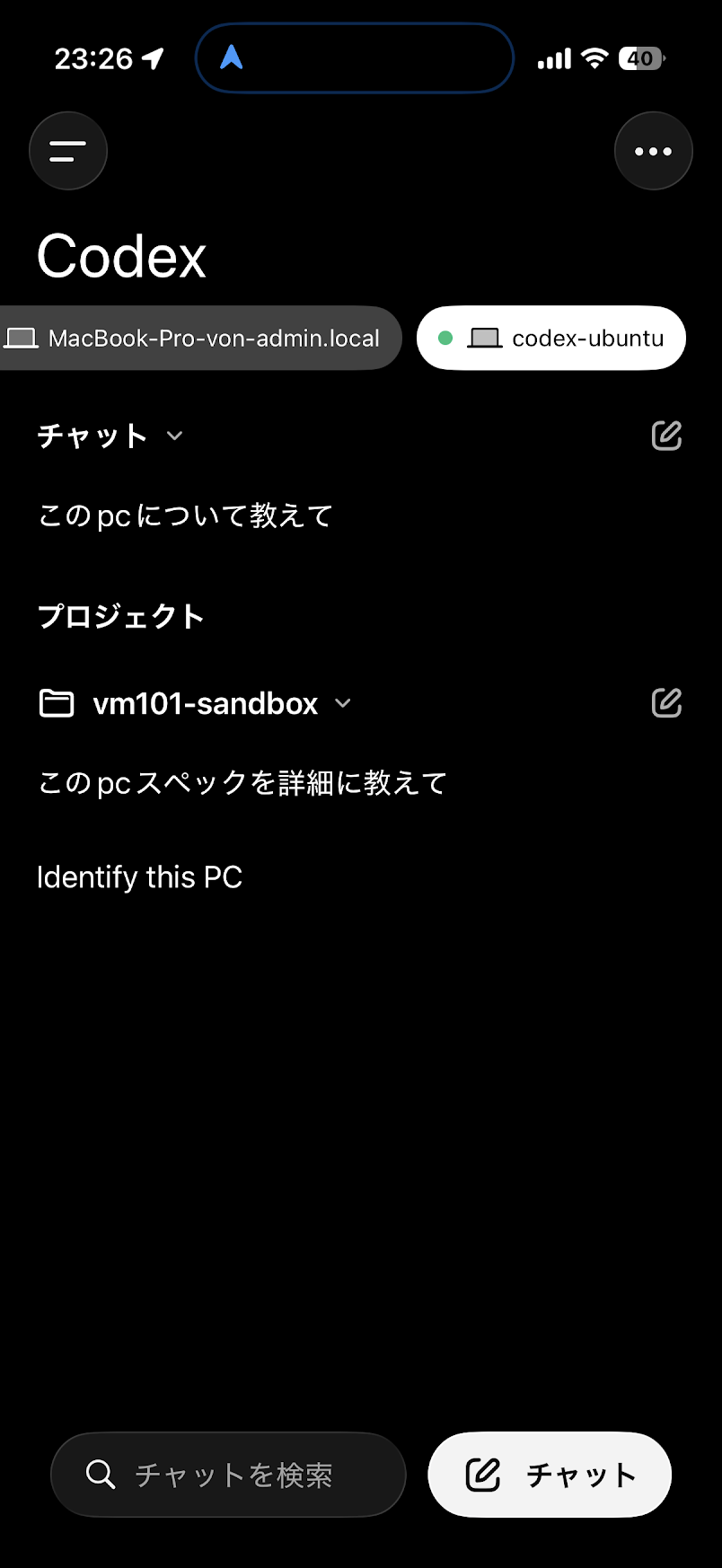
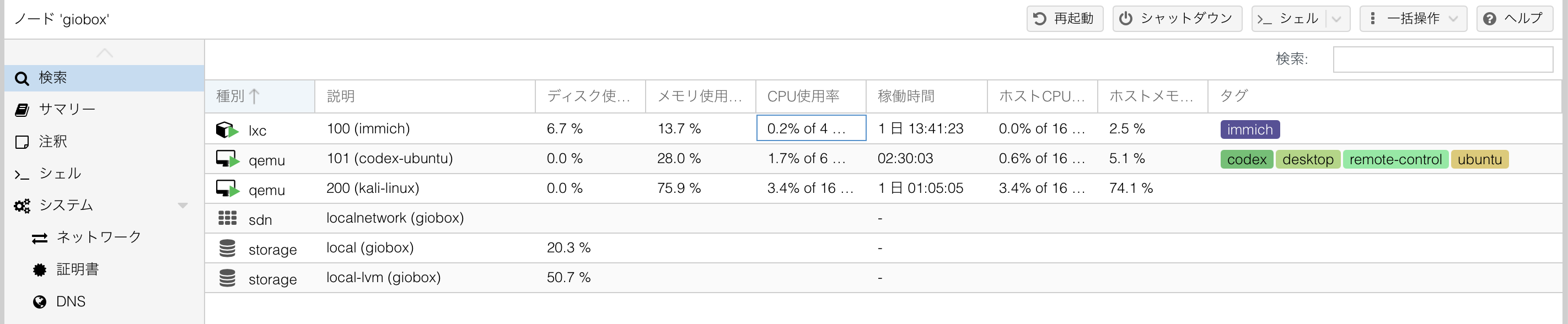
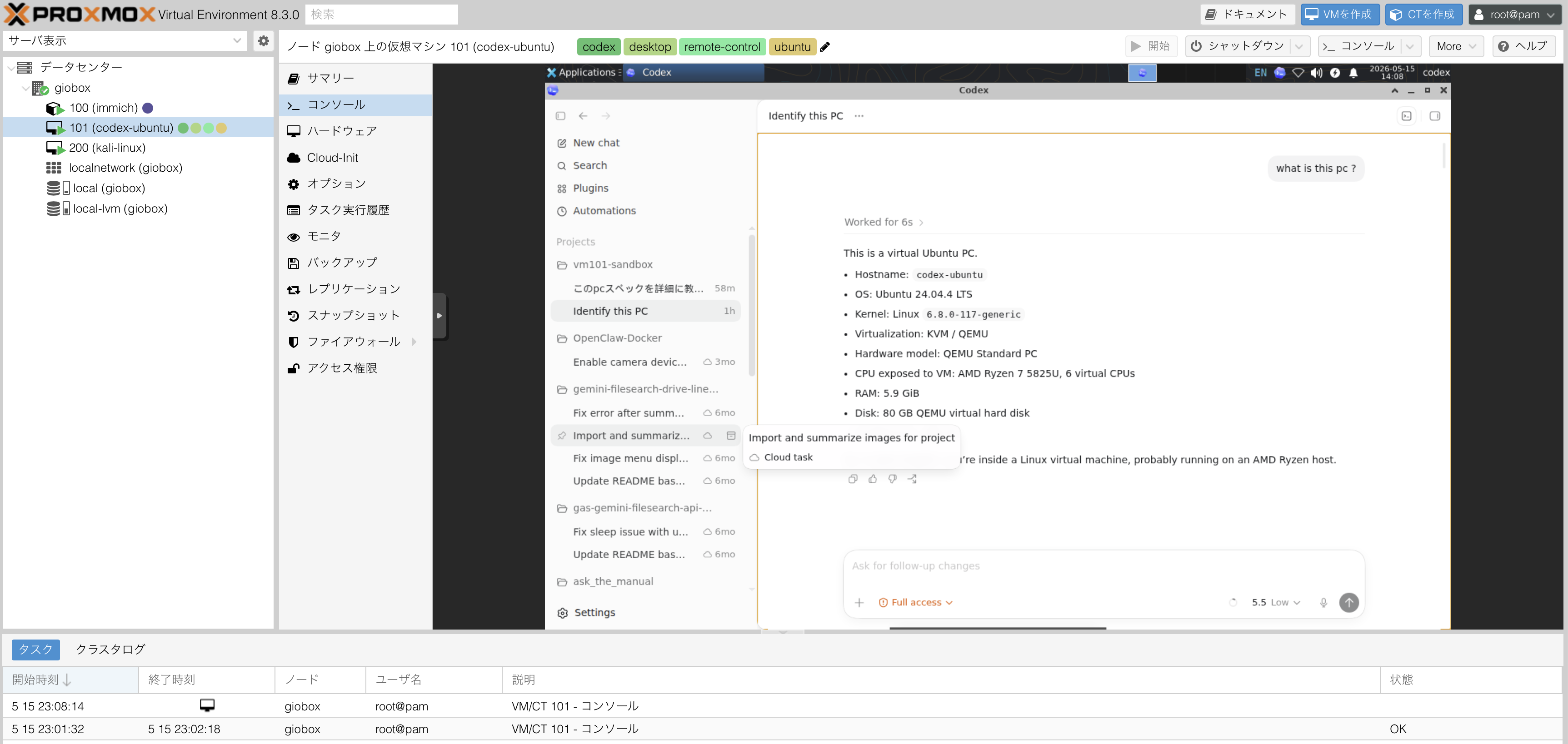
The paired phone screenshots are the main release evidence. They show the VM-backed Codex session being controlled from mobile. The Proxmox screenshots then show the VM identity, desktop console, and tags used for handoff.
Validation And Handoff
The release includes scripts/audit-codex-remote-vm.sh for read-only VM checks. It reports desktop services, GUI session evidence, Codex config, app-server feature flags, remote-control enrollment rows, and recent Codex Desktop logs.
For a third-party handoff, keep these details close:
- VM id, VM name, guest IP, SSH alias, and GUI login method
- Codex Desktop launcher path and restart command
- final
[features]block - enrollment and log checks
- whether mobile control was personally verified