
API Reference
Base URL:
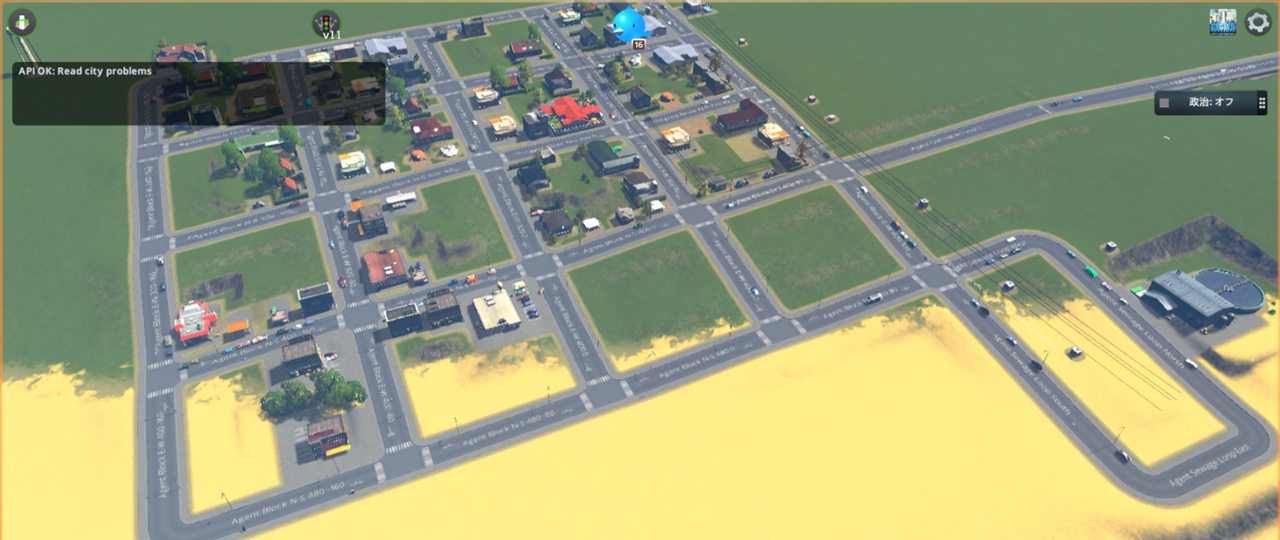
http://127.0.0.1:32123While a city is loaded, every API request that touches game state also appears in the CS1 UI as a short overlay notification. The overlay keeps the latest few messages for several seconds, for example API OK: Read city problems or API OK: Build network Basic Road. /health is intentionally excluded because it can be called before a level exists.
Agent Workflow
The intended workflow is intentionally generic:
- Read state from the API.
- Decide which small change is needed.
- Call one command API.
- Let the simulation settle.
- Re-read state.
- Save and verify the save file.
GET /health
Returns bridge status without requiring a loaded city.
GET /state/summary
Returns a small city snapshot: game time, build index, network counts, citizen count, and demand values.
GET /state/demand
Returns the three demand bars shown in the CS1 UI: residential, commercial, and workplace demand. Values are 0..100.
Invoke-RestMethod http://127.0.0.1:32123/state/demandGET /state/chirps
Returns recent Chirper/citizen messages from CS1's message manager, including sender name, sender id, text, message type, and message metadata when available. This is useful for reading citizen feedback such as housing demand, tax, traffic, service, and city satisfaction comments without OCR.
Invoke-RestMethod "http://127.0.0.1:32123/state/chirps?limit=50"GET /state/zones
Returns zoning cell counts and approximate area by zone type. CS1 zoning cells are reported as 8m x 8m cells, so areaSquareMeters is approximate but useful for comparing residential, commercial, industrial, office, and unzoned area.
Invoke-RestMethod http://127.0.0.1:32123/state/zonesGET /state/growables
Returns existing growable residential, commercial, industrial, and office buildings with service, sub-service, footprint size, position, active/abandoned state, and problem flags. Use this before zoning to avoid painting over already developed blocks.
Invoke-RestMethod "http://127.0.0.1:32123/state/growables?limit=500"GET /prefabs/roads
Returns loaded NetInfo prefabs that look like roads.
GET /prefabs/networks
Returns loaded network prefabs. Optional service filter:
GET /prefabs/networks?service=WaterGET /prefabs/buildings
Returns loaded building prefabs. Optional service filter:
GET /prefabs/buildings?service=ElectricityKnown broken/blocked building assets are omitted from this list. The current blocked family is Block Services - ....
GET /state/problems
Returns in-game notification/problem icons from CS1 data, without using screenshots or computer vision.
GET /state/problems?limit=200The response includes both the legacy combined problems string and structured problemNames, problem1Raw, problem2Raw, and countsByProblem fields so agents can match individual alerts such as TaxesTooHigh even when CS1 marks the same building as major or fatal. Building rows also surface alert-like flags such as Abandoned, BurnedDown, Collapsed, Flooded, and RoadAccessFailed.
Scanned entity types:
buildingnetNodenetSegment
GET /state/economy
Returns the currently configured tax rates for zoned residential, commercial, industrial, and office sub-services across levels. aggregateTaxRates mirrors the six tax sliders shown in the CS1 budget UI.
Invoke-RestMethod http://127.0.0.1:32123/state/economyGET /state/facilities
Returns current buildings grouped by CS1 service, with optional service filtering. This is the API-friendly replacement for reading service icons from the screen. Facility items include prefab footprint and rotation so an agent can avoid placing large buildings through roads.
By default this excludes internal pipe helper buildings such as Water Pipe Junction and Heating Pipe Junction; pass includeMapObjects=true when an agent specifically needs raw map objects.
Invoke-RestMethod http://127.0.0.1:32123/state/facilities?limit=500
Invoke-RestMethod http://127.0.0.1:32123/state/facilities?service=HealthCare
Invoke-RestMethod http://127.0.0.1:32123/state/facilities?service=PoliceDepartment
Invoke-RestMethod http://127.0.0.1:32123/state/facilities?includeMapObjects=true
The response includes:
countsByServicecountsBySubServicefacilities[]withid,prefab,displayName,service,subService,level,width,length,angleDegrees,problems, andposition
Response shape:
{
  "ok": true,
  "total": 17,
  "returned": 17,
  "countsByService": {
    "Water": 14,
    "HealthCare": 3
  },
  "facilities": [
    {
      "id": 123,
      "prefab": "Inland Water Treatment Plant 01",
      "service": "Water",
      "width": 5,
      "length": 7,
      "angleDegrees": 180,
      "problems": "",
      "position": { "x": 10, "y": 0, "z": 20 }
    }
  ]
}
GET /state/networks
Returns current network segments from CS1 data, without screenshots. Optional service filtering is useful for checking roads, water pipes, heating pipes, and power lines separately.
Invoke-RestMethod http://127.0.0.1:32123/state/networks?service=Road
Invoke-RestMethod http://127.0.0.1:32123/state/networks?service=Water
Invoke-RestMethod http://127.0.0.1:32123/state/networks?limit=1000
Each segment includes id, prefab, service, subService, problems, name, startNodeId, endNodeId, start, end, and middle.
GET /state/road-anomalies
Detects road geometry that can look connected on screen but is not actually a proper CS1 road graph connection.
Invoke-RestMethod "http://127.0.0.1:32123/state/road-anomalies?nearMissDistance=18&shortSegmentLength=32&includeDeadEnds=true"Detected anomaly types:
deadEndNearRoad: a one-segment road endpoint is very close to another road segment, which often means the endpoint visually touches a road but did not create an intersection.deadEndRoad: a normal road dead end. This is legal in CS1, but useful for agent-side design QA because unwanted frontage/service-road stubs often look like this.shortRoadStub: a short road segment with a dead end, often left behind by failed frontage-road or service-road placement.duplicateRoadSegments: two road segments share the same pair of endpoint nodes, which usually means one should be removed.overlappingRoadSegments: two road segments run nearly on top of each other at the same height for a meaningful distance, which usually means a duplicate or accidental overlay.roadCrossingWithoutNode: two road segments cross at nearly the same height without sharing a node, which usually means they visually overlap but are not a real intersection.roadTerrainCliff: a ground road has a large height mismatch against nearby sampled terrain, which can indicate buried roads or terrain spikes/cliffs caused by bad road placement.roadBelowLocalGrade: an agent-built ground road sits far below the surrounding local road grade, which often means a sunken or buried road.
Each anomaly includes the affected node or segment IDs plus world coordinates, so an agent can call /commands/bulldoze or add a connector road without using image recognition.
Helper scripts:
powershell -NoProfile -ExecutionPolicy Bypass -File scripts\inspect-road-anomalies.ps1

# Remove suspicious short/dead-end service roads only in a bounded area.
powershell -NoProfile -ExecutionPolicy Bypass -File scripts\repair-road-anomalies.ps1 `
  -MinX 450 -MaxX 620 -MinZ 90 -MaxZ 250
GET /state/external-connections
Checks whether the city's local road component is connected to CS1 outside road nodes. This is useful when a city visually has highways nearby but no outside cars enter because the local road graph is still separate from the highway network.
Invoke-RestMethod "http://127.0.0.1:32123/state/external-connections?limit=50"The response includes cityConnectedToOutside, disconnectedLocalRoadComponents, outside node counts, and sampled road components.
GET /state/building-anomalies
Detects service buildings whose footprint intersects a road segment. This is for API-side QA when a building appears to be placed through a road, without using screenshots.
Invoke-RestMethod http://127.0.0.1:32123/state/building-anomalies?limit=200GET /state/zone-anomalies
Detects mottled zoning from CS1 zone blocks without using screenshots. This is useful when circular or overlapping zone paint leaves residential, commercial, industrial, office, and unzoned cells mixed inside the same block.
Invoke-RestMethod "http://127.0.0.1:32123/state/zone-anomalies?limit=200&includeUnzonedHoles=true"Detected anomaly types:
mixedZoneBlock: one zoning block contains multiple non-empty zone types, such as residential cells mixed with commercial or industrial cells.patchyUnzonedHoles: one zoning block is mostly one zone type but contains many unzoned cells, which often means an agent left visible holes after repainting.
POST /commands/build-network
Generic network creation. Use this for roads, water pipes, heating pipes, and power lines. roadPrefab is kept as the request field name for compatibility with the early bridge prototype; pass any loaded NetInfo prefab name.
Request:
{
  "dryRun": true,
  "roadPrefab": "Basic Road",
  "start": { "x": 0, "z": 0 },
  "end": { "x": 80, "z": 0 },
  "name": "Agent Test Road"
}
Response:
{
  "ok": true,
  "dryRun": true,
  "message": "Build-road validation passed."
}
When dryRun is false, the mod creates two nodes and one segment with NetManager.
POST /commands/build-road
Compatibility alias for /commands/build-network.
POST /commands/set-zone
Request:
{
  "dryRun": true,
  "preserveOccupied": true,
  "zone": "ResidentialLow",
  "center": { "x": 40, "z": 0 },
  "radius": 32
}
Supported zones:
UnzonedResidentialLowResidentialHighCommercialLowCommercialHighIndustrialOffice
The command paints existing zone blocks near center. It works best after roads have created zoning blocks. preserveOccupied defaults to true and skips zone blocks that already contain residential, commercial, industrial, office, service, park, or monument buildings, so broad zoning commands do not overwrite developed city blocks.
POST /commands/repair-zones-to-growables
Repairs zone blocks that contain existing growable buildings by aligning non-empty zoning cells with the nearest residential, commercial, industrial, or office building. Blocks with ambiguous mixed-use occupancy are skipped.
{
  "dryRun": true
}
POST /commands/repair-zone-clusters
Repairs larger 80m zoning clusters when a whole city block is visually mottled. The command can fill unzoned holes and, by default, prefers the nearest existing growable building's zone for occupied blocks so cluster repair does not blindly convert developed buildings to the cluster's dominant zone.
{
  "dryRun": true,
  "includePatchy": true,
  "fillUnzoned": true,
  "preferGrowableZone": true,
  "gridSize": 80
}
POST /commands/place-building
Request:
{
  "dryRun": true,
  "buildingPrefab": "Wind Turbine",
  "position": { "x": 300, "z": 200 },
  "angleDegrees": 0
}
POST /commands/move-building
Recreates an existing building at a new position with the same prefab and deletes the old building. This is intentionally separate from detection and from save operations so agents can make small, explicit repair steps.
{
  "dryRun": false,
  "id": 123,
  "position": { "x": 340, "z": 200 },
  "angleDegrees": 180
}
POST /commands/set-building-active
Turns an existing building on or off by id.
{
  "id": 123,
  "active": false
}
POST /commands/disable-blocked-assets
Disables known broken assets in CS1's package asset state so the game should not use them. The current blocked family is Block Services - ....
Invoke-RestMethod -Method Post -Uri http://127.0.0.1:32123/commands/disable-blocked-assetsPOST /commands/bulldoze
Deletes a problem entity by API. Useful for agent-side repair loops after reading /state/problems.
$body = @{
  entityType = "netSegment"
  id = 21778
  keepNodes = $false
} | ConvertTo-Json

Invoke-RestMethod -Method Post -Uri http://127.0.0.1:32123/commands/bulldoze -Body $body -ContentType "application/json"
Supported entityType values:
buildingnetSegmentnetNode
POST /commands/save
Requests an in-game save through CS1's SavePanel.SaveGame, the same code path used by the normal UI save button. The game writes the .crp package asynchronously, so poll /state/saves until the returned file appears.
$body = @{ name = "AgentAutoSave-20260512-1900" } | ConvertTo-Json
Invoke-RestMethod -Method Post -Uri http://127.0.0.1:32123/commands/save -Body $body -ContentType "application/json"

powershell -NoProfile -ExecutionPolicy Bypass -File scripts\save-city.ps1 -Name AgentAutoSave-test
GET /state/saves
Lists local .crp saves with paths, timestamps, and file sizes.
Invoke-RestMethod http://127.0.0.1:32123/state/savesPOST /commands/set-simulation-speed
Request:
{
  "paused": false,
  "speed": 3
}
speed is clamped to 1..3. Use paused: true to pause the simulation while keeping the selected speed in a valid UI state.
POST /commands/set-tax-rate
Sets tax rates for zoned services. Omit service, subService, or level to apply the rate broadly; pass dryRun: true to preview the affected tax rows.
{
  "dryRun": false,
  "service": "Commercial",
  "rate": 9
}
Useful services are Residential, Commercial, Industrial, and Office. rate must be between 0 and 29.
POST /commands/batch
Request:
{
  "dryRun": true,
  "stopOnError": true,
  "commands": [
    {
      "type": "build-road",
      "roadPrefab": "Basic Road",
      "start": { "x": 120, "z": 0 },
      "end": { "x": 200, "z": 0 },
      "name": "Agent Batch Road"
    },
    {
      "type": "set-zone",
      "zone": "ResidentialLow",
      "center": { "x": 160, "z": 0 },
      "radius": 48
    }
  ]
}
Supported command types:
build-roadset-zone
If an item does not include dryRun, it inherits the batch-level dryRun value. Batches are limited to 32 commands.