Experiments
The repository includes a sweep runner that records per-variant outputs, compare boards, and a canonical summary.
Commands
Run the full sweep:
uv run python .\scripts\run_edge_experiments.pyResume only missing work:
uv run python .\scripts\run_edge_experiments.py --resumeRebuild Markdown and image artifacts without rerunning inference:
uv run python .\scripts\run_edge_experiments.py --postprocess-onlySaved overview
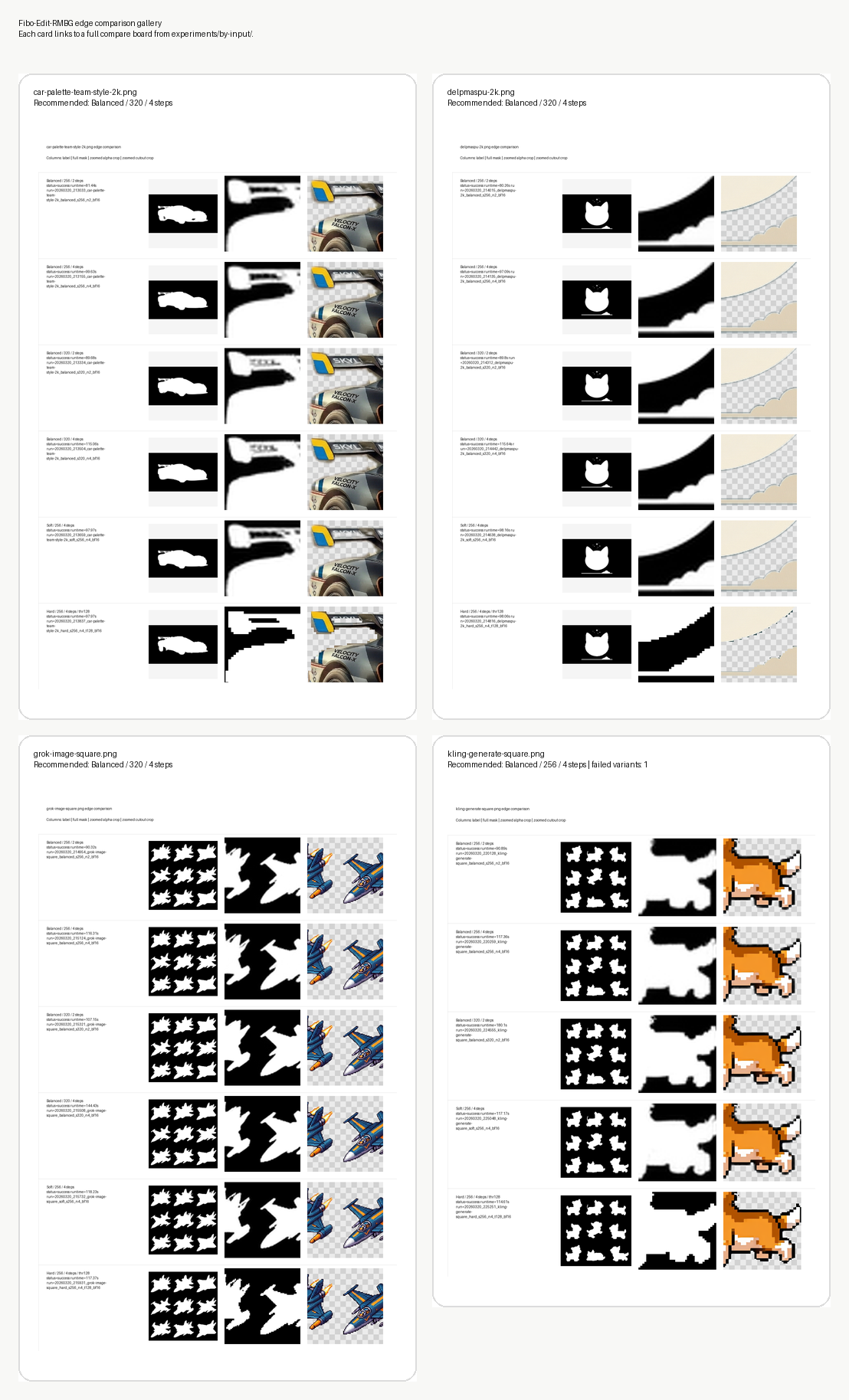
Current recommendation
balanced / 320 / 4 stepslooked best on:car-palette-team-style-2k.pngdelpmaspu-2k.pnggrok-image-square.png
balanced / 256 / 4 stepsis the safer fallback and was the best successful option forkling-generate-square.png
Per-input boards
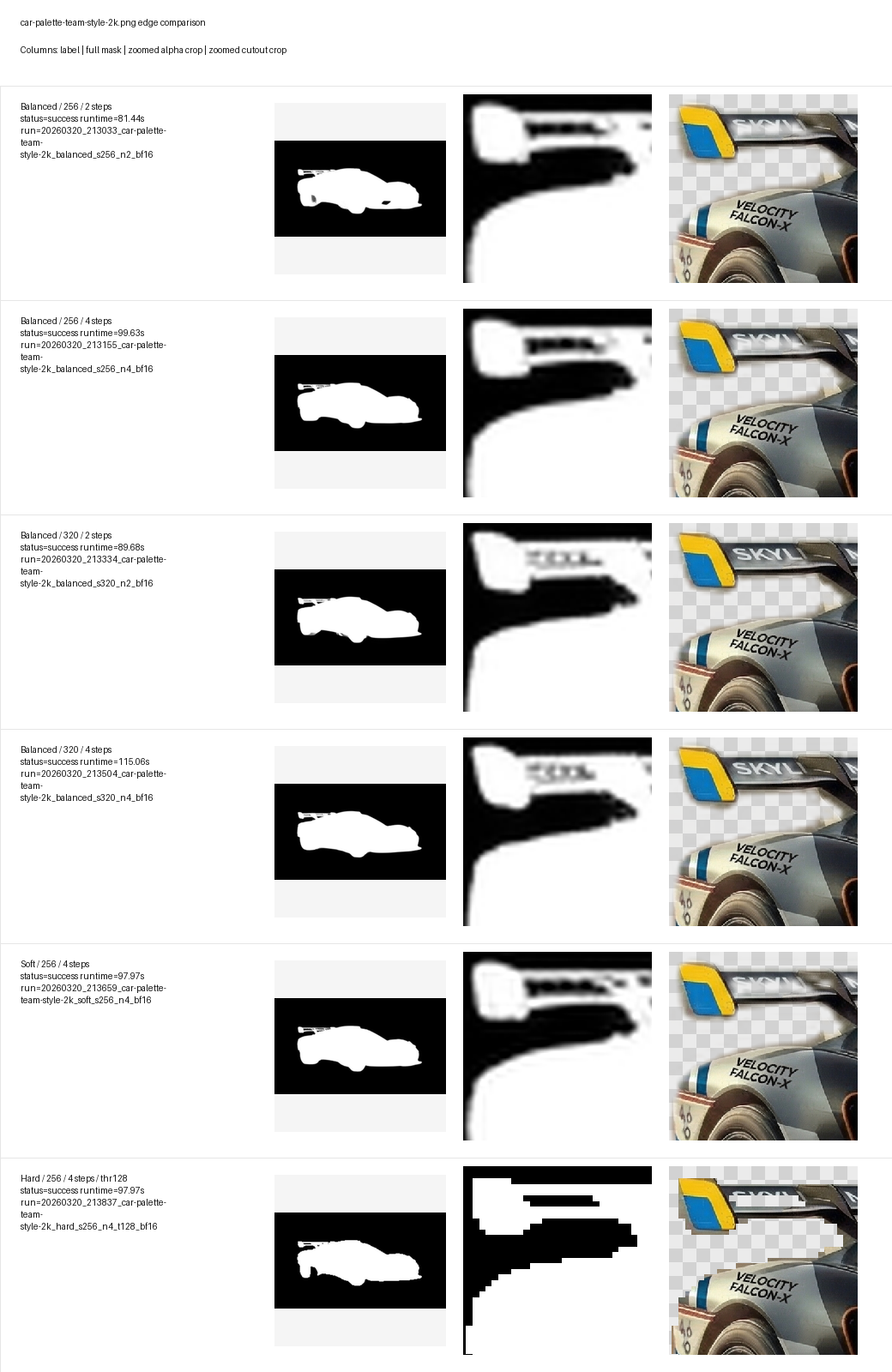
car-palette-team-style-2k.png
A vehicle cutout with a long curved spoiler edge, trim decals, and narrow protrusions. Use this board to judge whether the alpha stays smooth along curved bodywork without turning into staircase pixels.
Start with balanced / 320 / 4 steps.
delpmaspu-2k.png
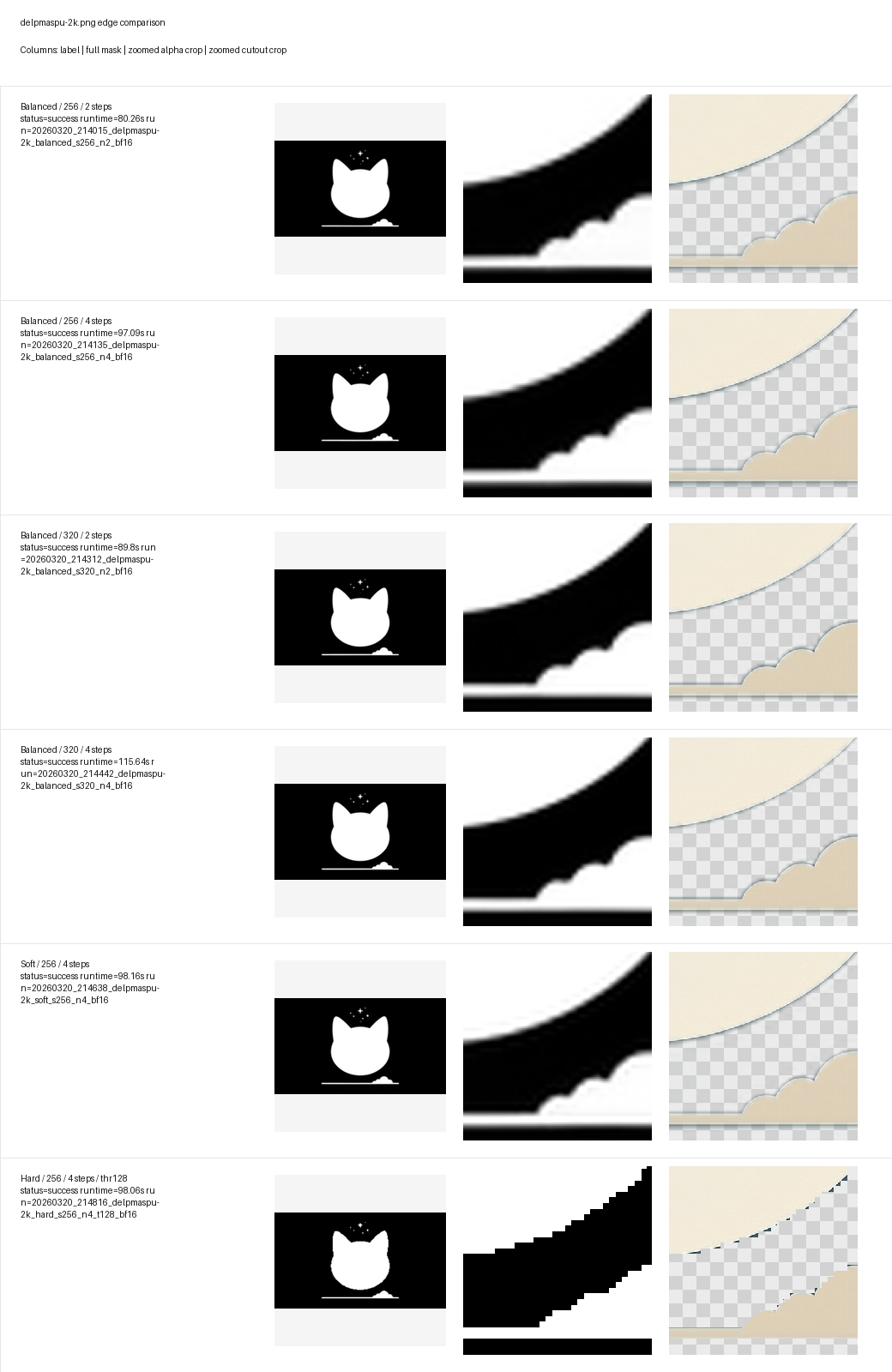
A flat illustration with a shallow cream-colored curve. This case is useful for separating soft halos from truly clean anti-aliased edges on rounded shapes.
Start with balanced / 320 / 4 steps.
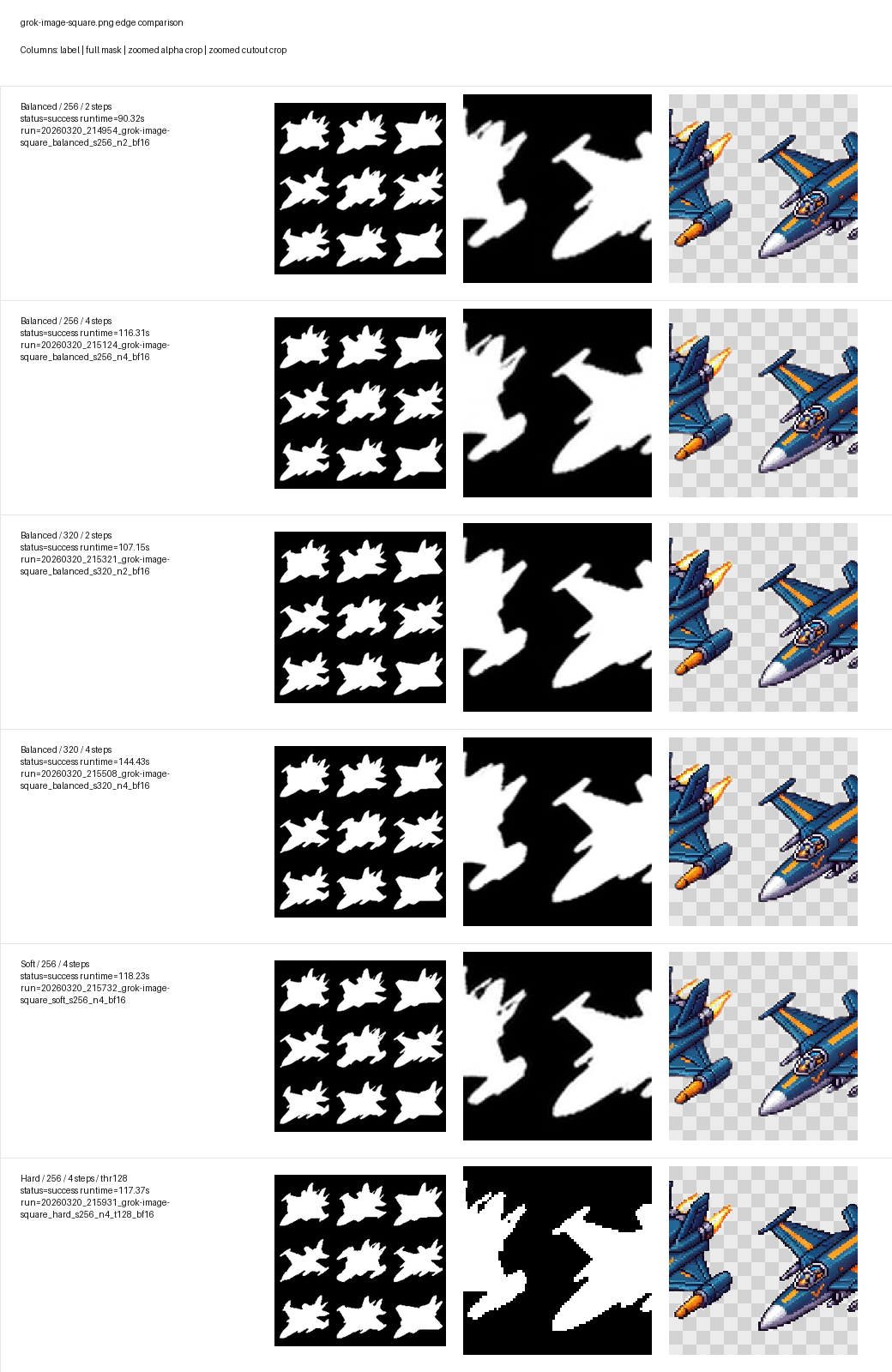
grok-image-square.png
A repeated jet-like silhouette with diagonal fins and sharp corners. This board is the easiest way to compare crispness on angular edges without falling into the blockiness of hard.
Start with balanced / 320 / 4 steps.
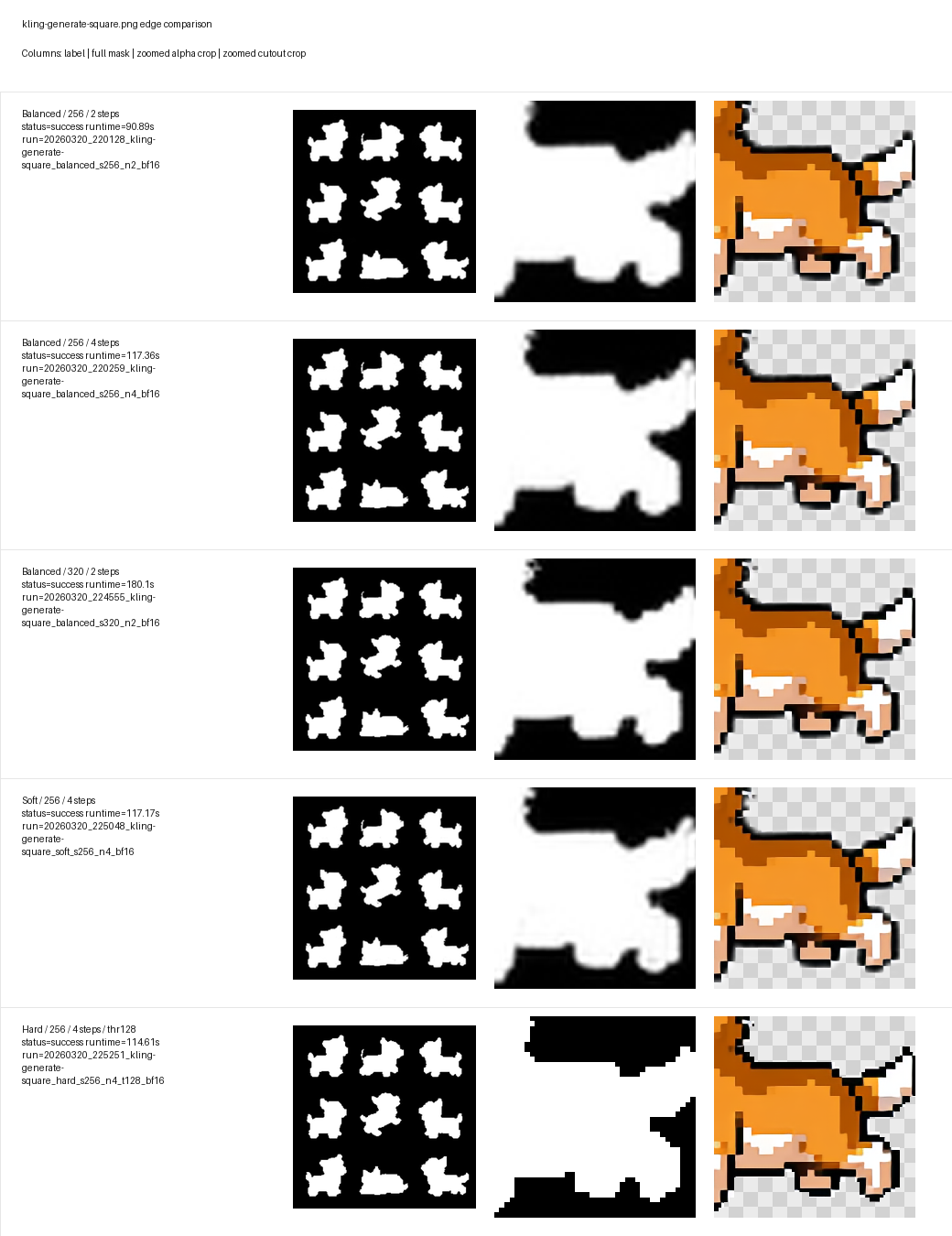
kling-generate-square.png
A low-resolution pixel-art dog. This board shows how well each setting respects intentionally chunky outlines while still avoiding over-quantized hard-mask artifacts.
Start with balanced / 256 / 4 steps because the 320 / 4 steps variant failed on this machine.