v0.3.0: The Gradio WebUI Became The Main Workflow
Published: 2026-03-15

video-background-remover-cli v0.3.0 was the release where the repository stopped feeling like "just a CLI with helpers" and started feeling like a practical desktop-style app for background removal and transparent animation export.
The release still keeps the CLI intact, but the center of gravity moved toward the Gradio WebUI. That shift matters because the project now has a clearer main path for people who want to:
- mask a video interactively with MatAnyone
- export the result as animated
webpandgif - split a tiled 2x2 or 3x3 source into reusable per-tile animations
- stay inside one UI instead of stitching together several ad-hoc tools
The Big Change: The WebUI Became The Product Surface
Before this release, the repository already had useful export logic, but the experience was still very CLI-first. In v0.3.0, the WebUI grew into the main surface:
MP4 -> WebP/GIFAdvanced rembgMatAnyone2MatAnyone2 TileAdvanced fg+alpha pair
That layout matters because it separates common intents instead of forcing one path to do everything:
- direct animation conversion without background removal
- interactive video matting with MatAnyone
- re-export from an existing foreground and alpha pair
- split export from tiled animation sheets
MatAnyone2 Became The Main Video Path
The biggest user-facing improvement is MatAnyone2 > Video.
The flow is easy to explain:
- load a video
- click a frame to add a mask
- run
Video Matting - preview and download animated
webpandgif
That may sound simple, but the surrounding polish is what changed the feel of the product:
- preview cards
- download buttons
- output FPS control
- max-frame limits
- bounce loop support
- clearer status output
It now feels much closer to a tool you can actually use to prepare assets, not just a technical demo.
MP4 To WebP/GIF Became A Straightforward Utility
One quietly useful addition is the dedicated MP4 -> WebP/GIF tab.
It is intentionally simple:
- inspect the input clip
- lower FPS when you need a smaller file
- resize before export
- generate both animated
webpandgif
That makes it useful even when you do not need background removal at all. It covers the very common case where you simply want a web-friendly animated asset quickly.
MatAnyone2 Tile Opened A New Workflow
MatAnyone2 Tile is the most distinctive new workflow in this release.
It targets videos that are already arranged as a 2x2 or 3x3 tile layout. Instead of treating the tiled result as one final asset, the workflow:
- runs the regular MatAnyone masking flow
- keeps the combined foreground and alpha result
- splits the tiled output after matting
- generates animated
webpandgiffor every tile
That is a strong fit for animation sheets, multi-character clips, and reusable effect libraries.
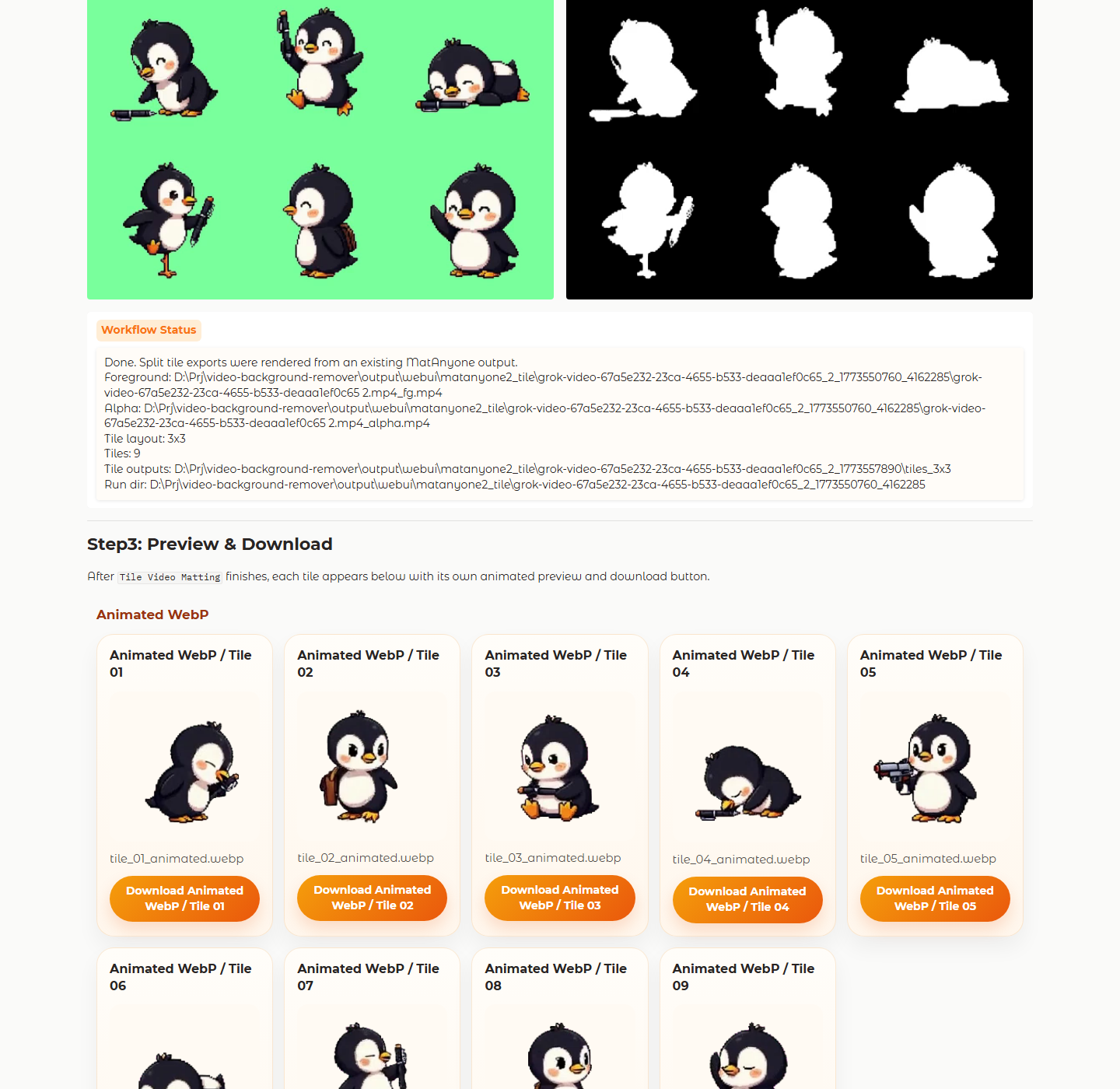
The release also improved the support systems around this tab:
- dedicated Tile output folders
- resume from existing output
- auto-detected Tile run selection
- Tile-specific examples and previews
The UI Became More Readable Across Languages
Another important improvement is the language toggle.
The WebUI now supports both Japanese and English across the main tabs, descriptions, and settings. That matters more than it sounds, because segmentation and matting tools can become intimidating quickly when the labels are too low-level or too inconsistent.
The Docs Caught Up With The Product
v0.3.0 also improved the repository's docs and assets:
- expanded README coverage
- VitePress guide updates
- Tile screenshots
- sample animated
webpandgifassets - docs-backed release notes
That makes the repository easier to understand without opening the code first. It also sets up a nice pattern where release notes stay concise while article pages like this one carry the longer narrative.
Validation
The release was verified with:
uv run --extra webui python -m unittest tests.test_webuiuv run python -m unittest discover -s testsuv run --extra dev python -m buildnpm run docs:build