
Showcase
draw-io-skill ships a few sample diagrams with different jobs: repository onboarding, lint review, and icon-rich presentation. Treat them as copyable starting points when you want a diagram set to feel more like a showcase than an internal scratchpad.
Repository Structure Overview

Use this sample when you want to explain how the repository is organized and how the main workflow surfaces connect.
assets/draw-io-skill-structure.drawioassets/draw-io-skill-structure.drawio.pngassets/draw-io-skill-structure.drawio.svgassets/draw-io-skill-structure.ja.drawioassets/draw-io-skill-structure.ja.drawio.pngassets/draw-io-skill-structure.ja.drawio.svg
Lint Review Sample

Use this sample when routing density, text fit, or non-rect shapes need extra care after SVG export.
document,hexagon,parallelogram, andtrapezoidlabels stay easy to review- arrow-to-shape and frame-to-shape contact is easier to catch visually after lint
- the sample pairs well with the fixture-based checks in
fixtures/shape-border-overlapandfixtures/shape-text-overflow
Assets:
assets/draw-io-skill-structure-shapes.drawioassets/draw-io-skill-structure-shapes.drawio.pngassets/draw-io-skill-structure-shapes.drawio.svg
Icon Block Sample

This sample rebuilds the same flow with role icons embedded inside each block. It is useful when a diagram needs a more polished, presentation-friendly look without losing the editable .drawio source.
assets/draw-io-skill-structure-icons.drawioassets/draw-io-skill-structure-icons.drawio.pngassets/draw-io-skill-structure-icons.drawio.svgassets/draw-io-skill-structure-icons.ja.drawioassets/draw-io-skill-structure-icons.ja.drawio.pngassets/draw-io-skill-structure-icons.ja.drawio.svg
Aesthetic Template Samples
These samples show the default visual direction for diagrams that need to look polished without turning into one-off artwork.
Polished Technical Template
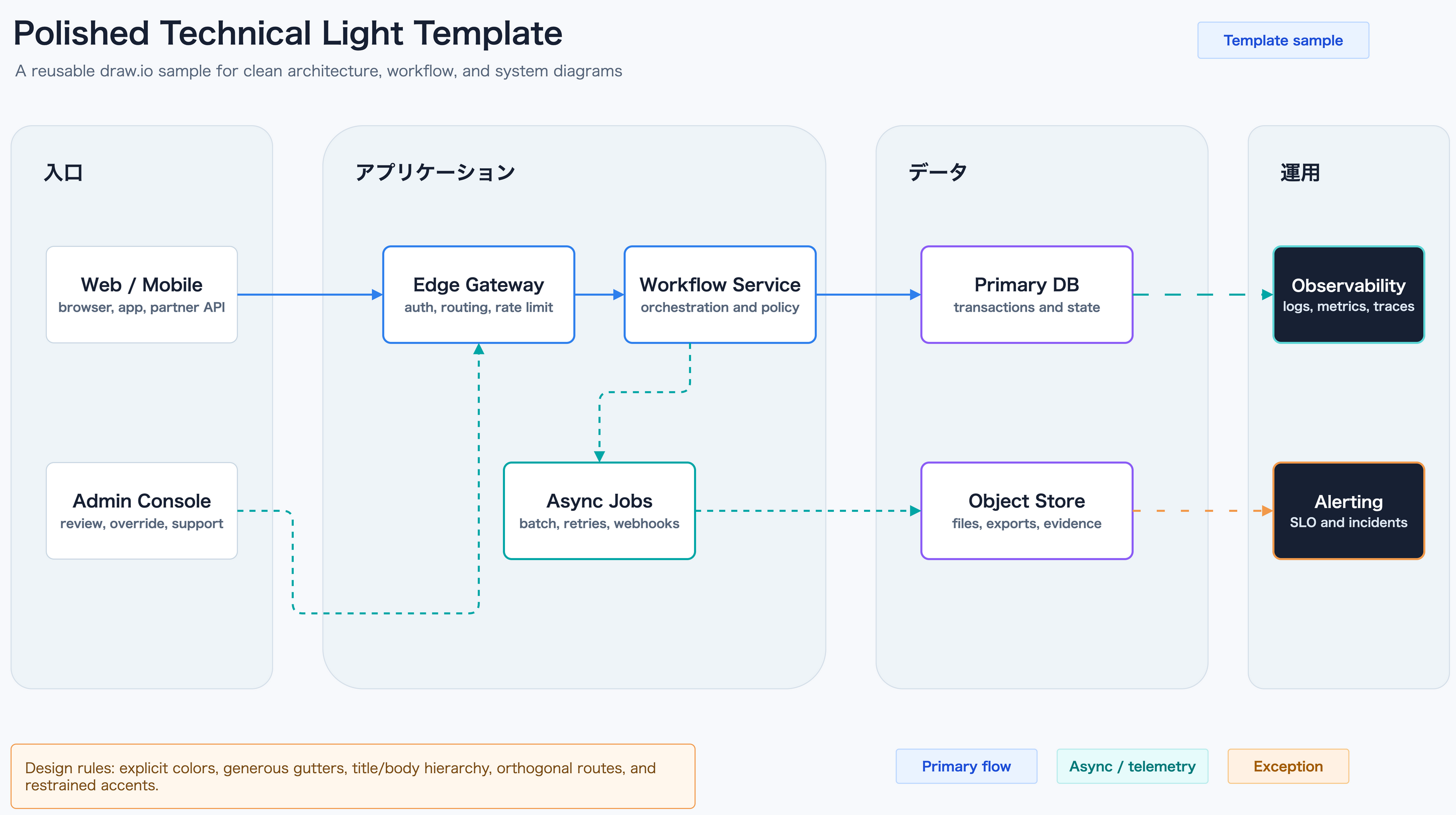
assets/aesthetic-template-sample.drawioassets/aesthetic-template-sample.drawio.pngassets/aesthetic-template-sample.drawio.svg
Executive Dashboard
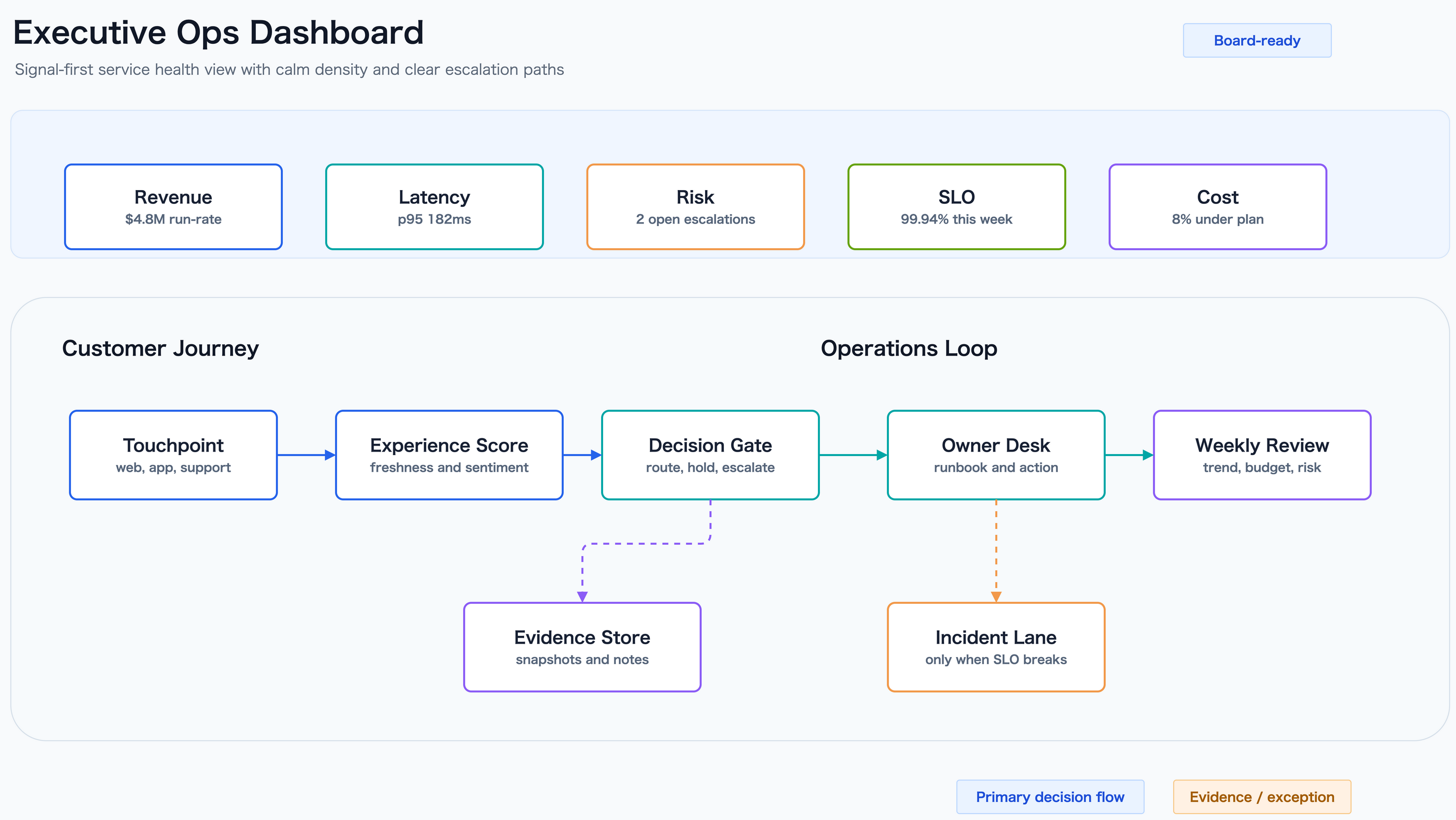
assets/aesthetic-sample-executive-dashboard.drawioassets/aesthetic-sample-executive-dashboard.drawio.pngassets/aesthetic-sample-executive-dashboard.drawio.svg
AI Pipeline
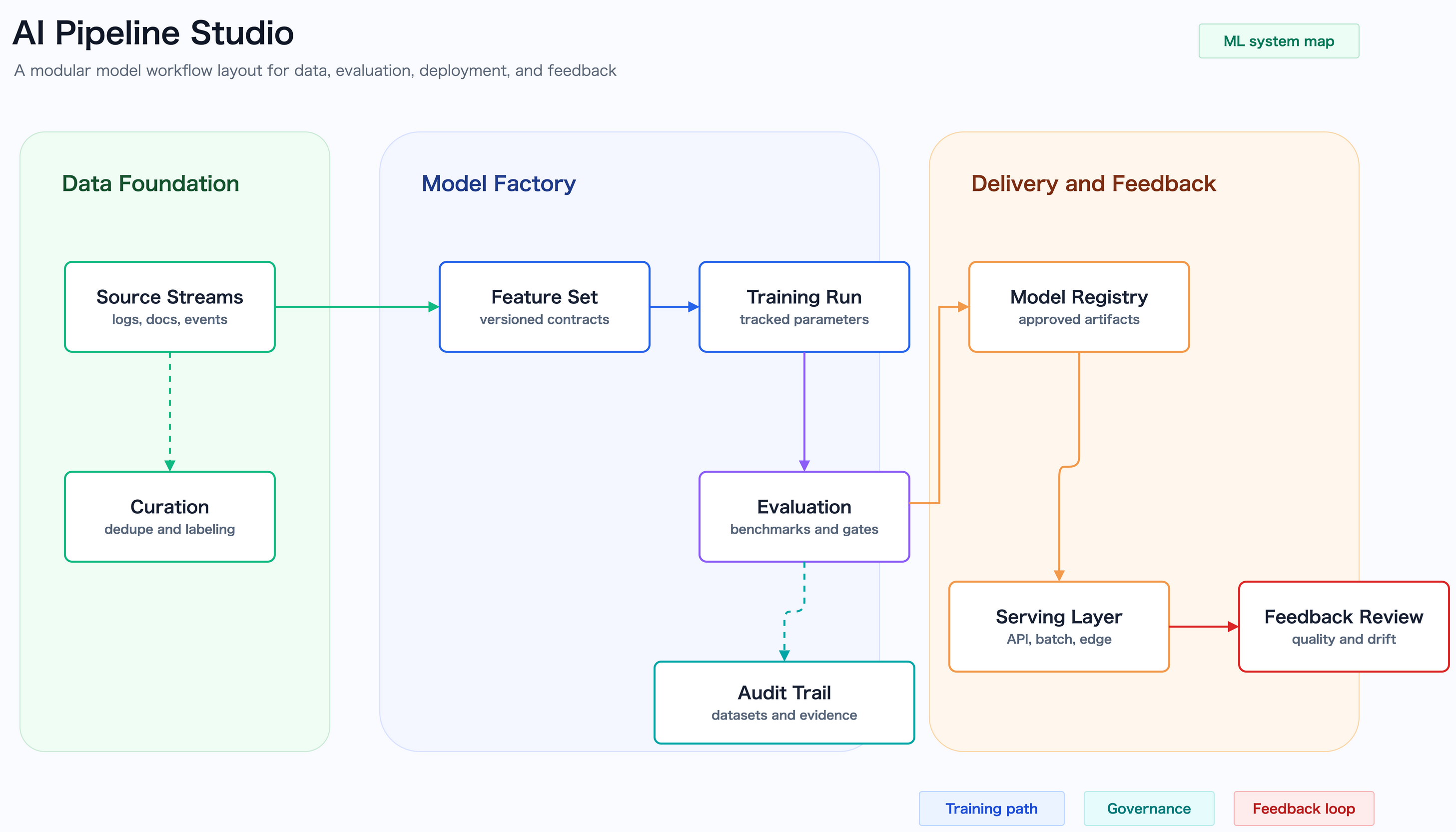
assets/aesthetic-sample-ai-pipeline.drawioassets/aesthetic-sample-ai-pipeline.drawio.pngassets/aesthetic-sample-ai-pipeline.drawio.svg
Security Incident
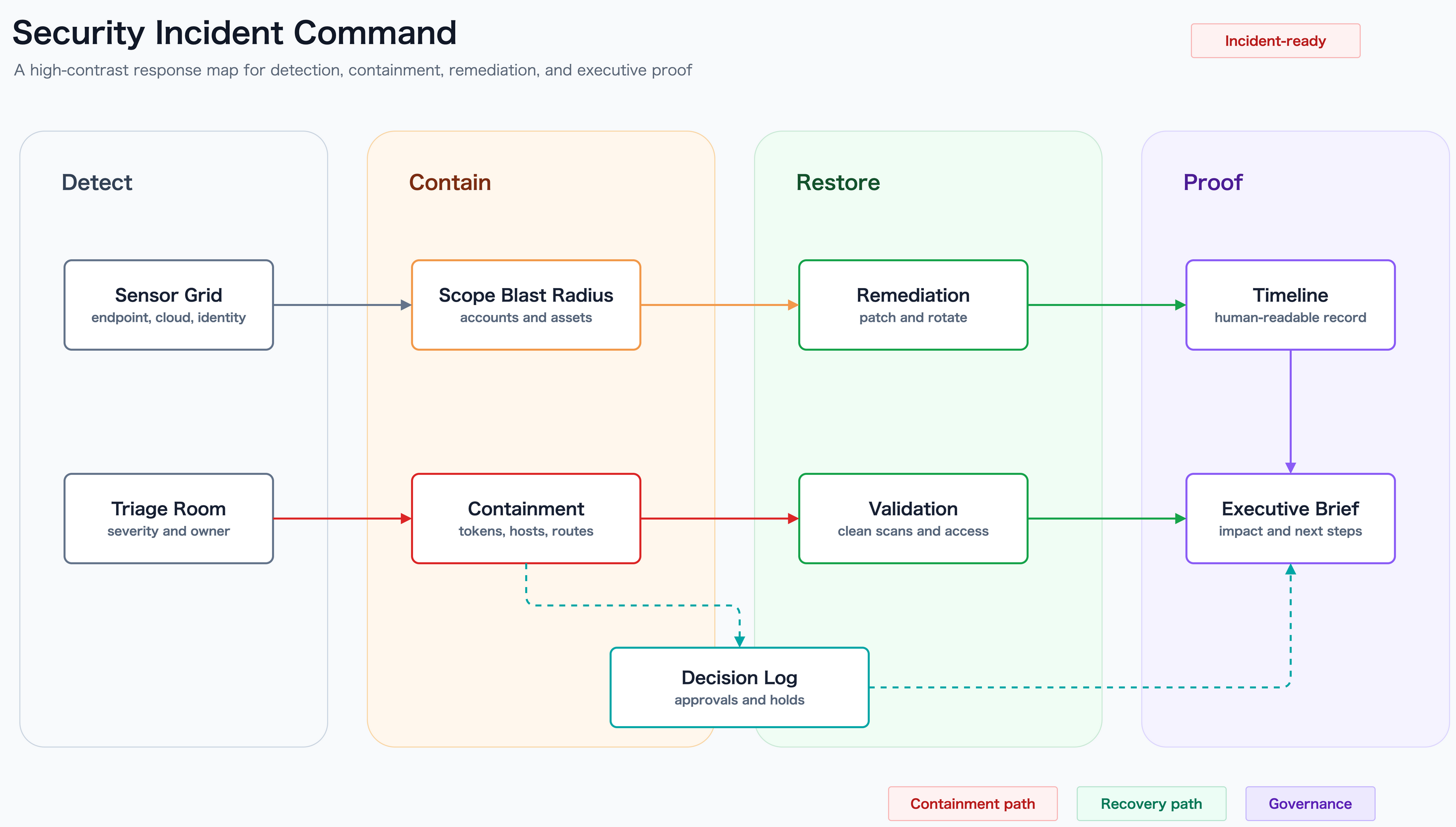
assets/aesthetic-sample-security-incident.drawioassets/aesthetic-sample-security-incident.drawio.pngassets/aesthetic-sample-security-incident.drawio.svg
Purpose-Driven Templates
These templates are separated by purpose, not just by palette.
Board Brief
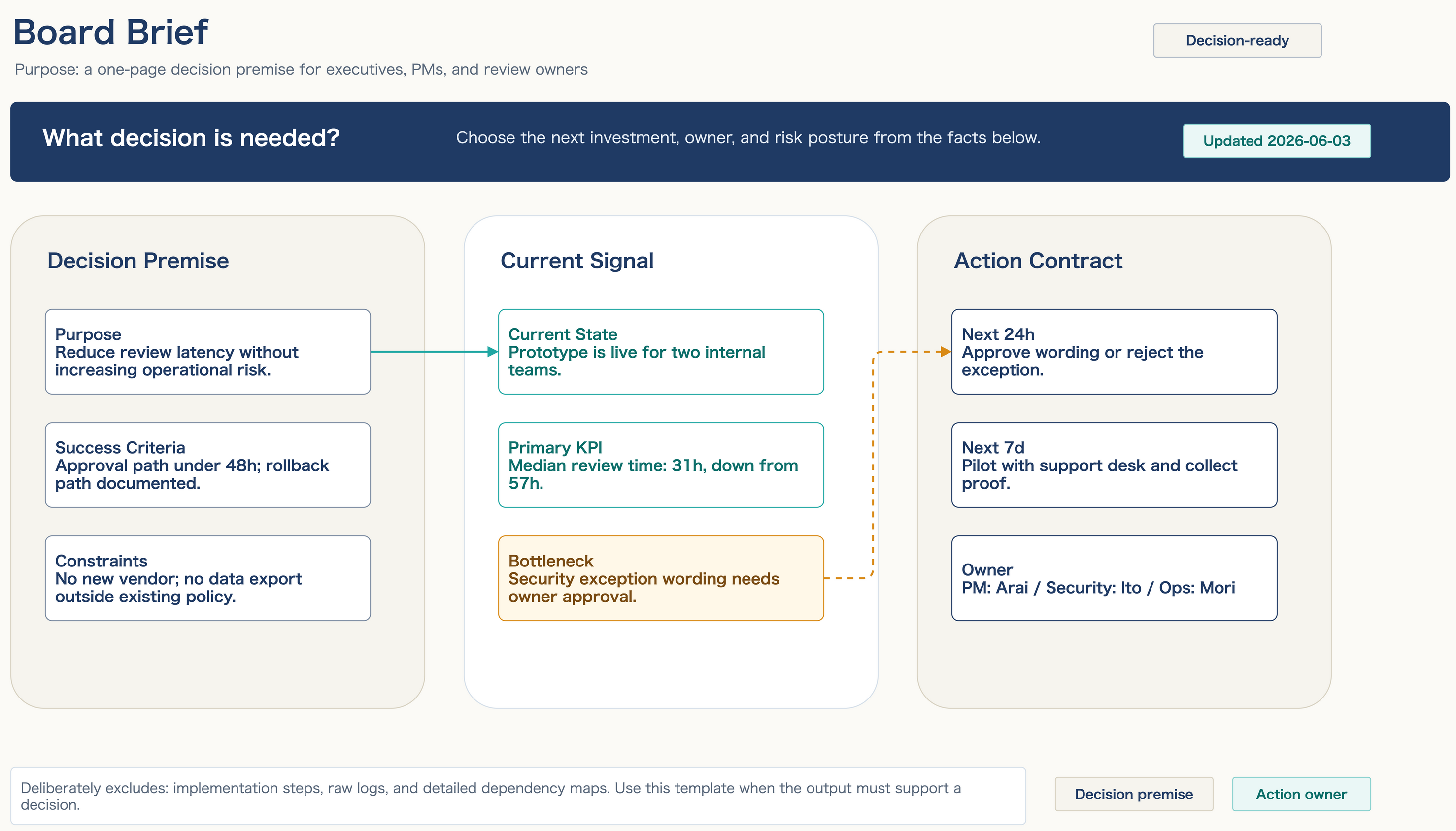
Use this when the question is: what decision needs to be made, from which premises, by whom?
- Includes: objective, current signals, risks, next actions, accountable owners
- Excludes: implementation steps, detailed logs, dependency maps
assets/purpose-board-brief-template.drawioassets/purpose-board-brief-template.drawio.pngassets/purpose-board-brief-template.drawio.svg
Dependency Orbit Map
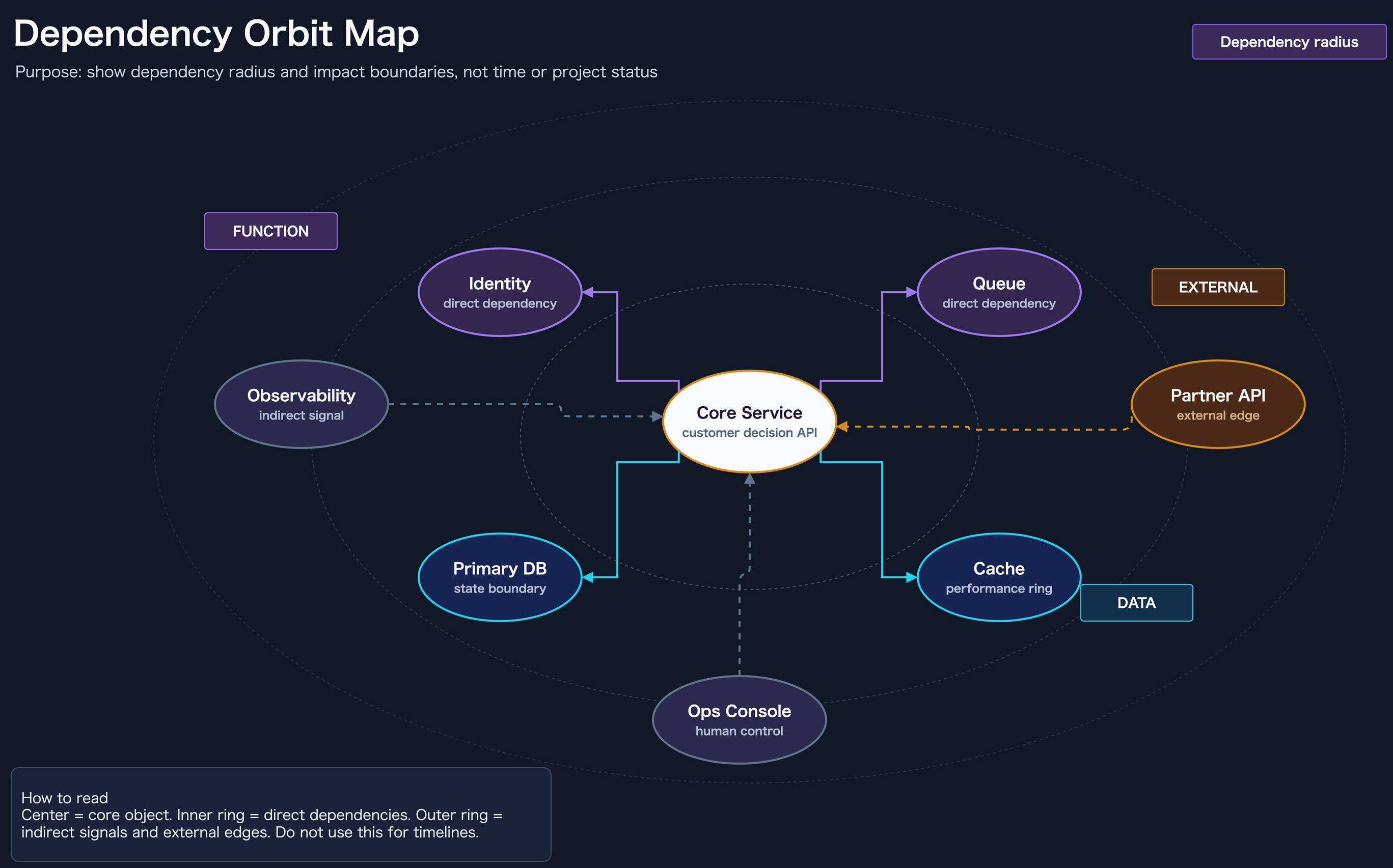
Use this when the question is: what depends on the core object, and where is the impact boundary?
- Includes: core, direct dependencies, indirect signals, external edges
- Excludes: timelines, daily progress, effort plans
assets/purpose-dependency-orbit-template.drawioassets/purpose-dependency-orbit-template.drawio.pngassets/purpose-dependency-orbit-template.drawio.svg
Incident Timeline
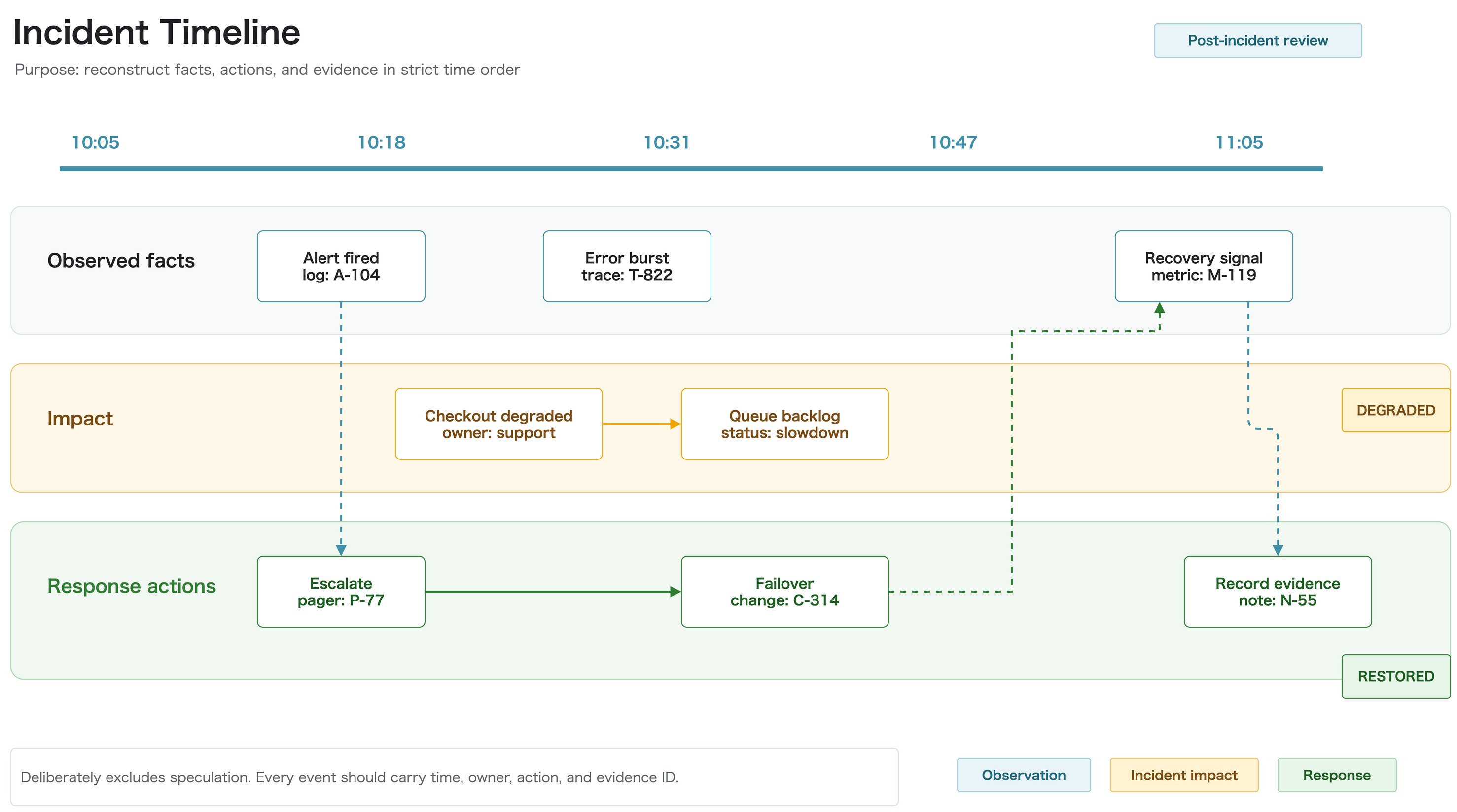
Use this when the question is: what was observed, what was affected, and how did the response unfold?
- Includes: timestamps, observed facts, impact, response, evidence IDs
- Excludes: speculation, unverified causes, architecture-only views
assets/purpose-incident-timeline-template.drawioassets/purpose-incident-timeline-template.drawio.pngassets/purpose-incident-timeline-template.drawio.svg
Hypothesis Helix
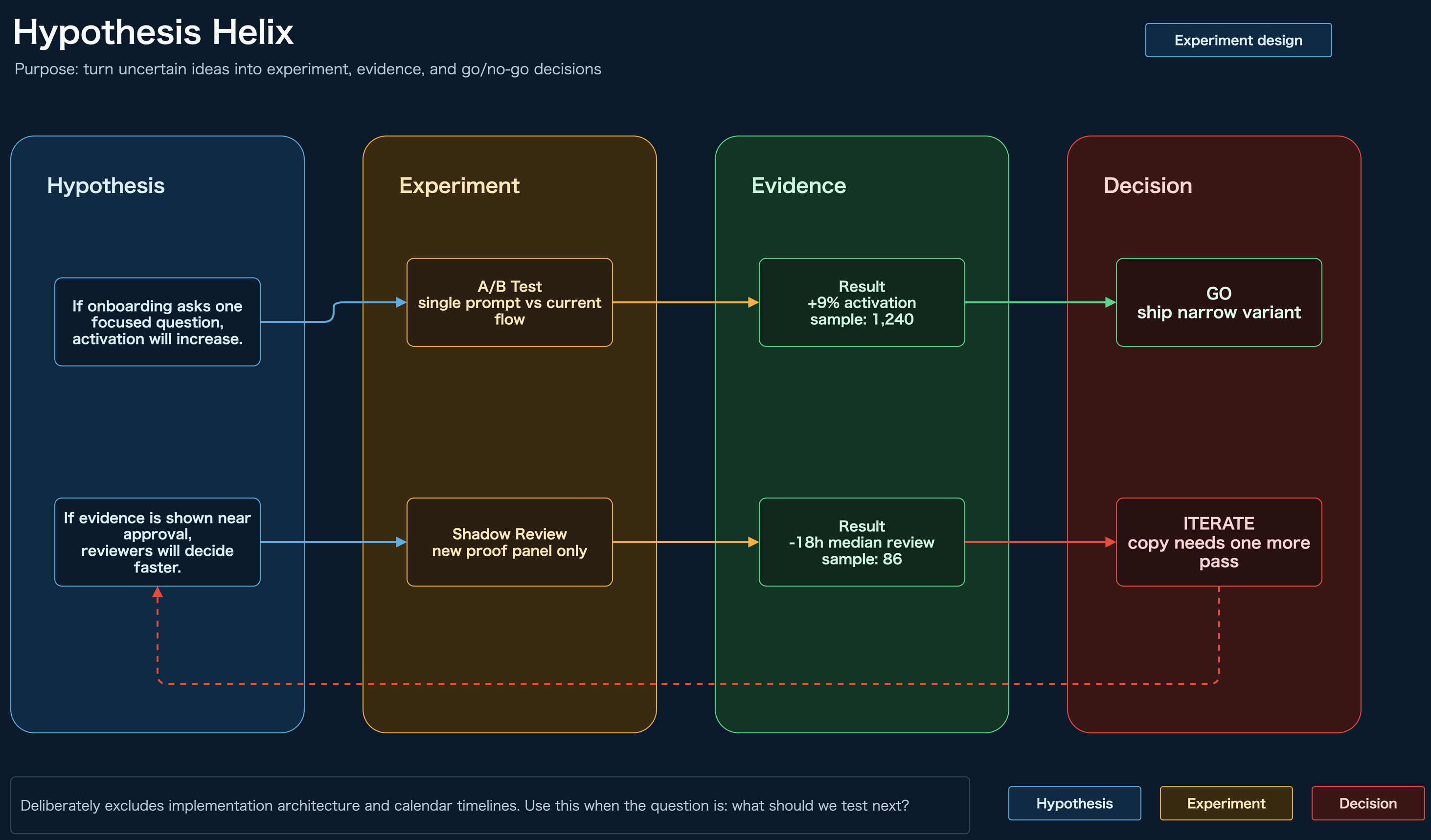
Use this when the question is: what should we test next?
- Includes: hypothesis, experiment, evidence, go/no-go decision, iteration loop
- Excludes: implementation architecture, calendar timelines
assets/purpose-hypothesis-helix-template.drawioassets/purpose-hypothesis-helix-template.drawio.pngassets/purpose-hypothesis-helix-template.drawio.svg
Feature Value Matrix
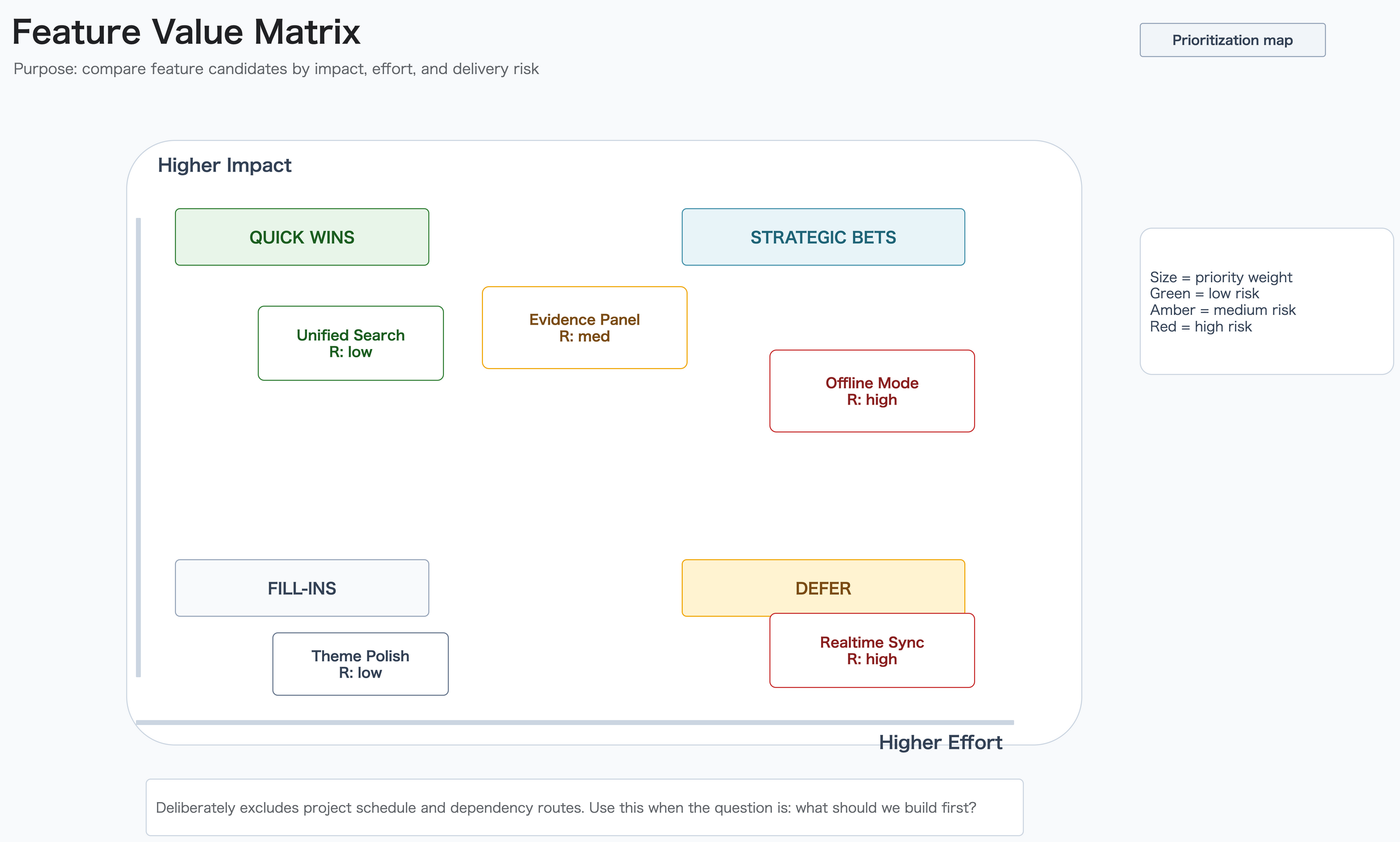
Use this when the question is: what should we build first?
- Includes: impact, effort, delivery risk, priority weight
- Excludes: project schedules, dependency routes
assets/purpose-feature-value-matrix-template.drawioassets/purpose-feature-value-matrix-template.drawio.pngassets/purpose-feature-value-matrix-template.drawio.svg
Value Conversion Sheet
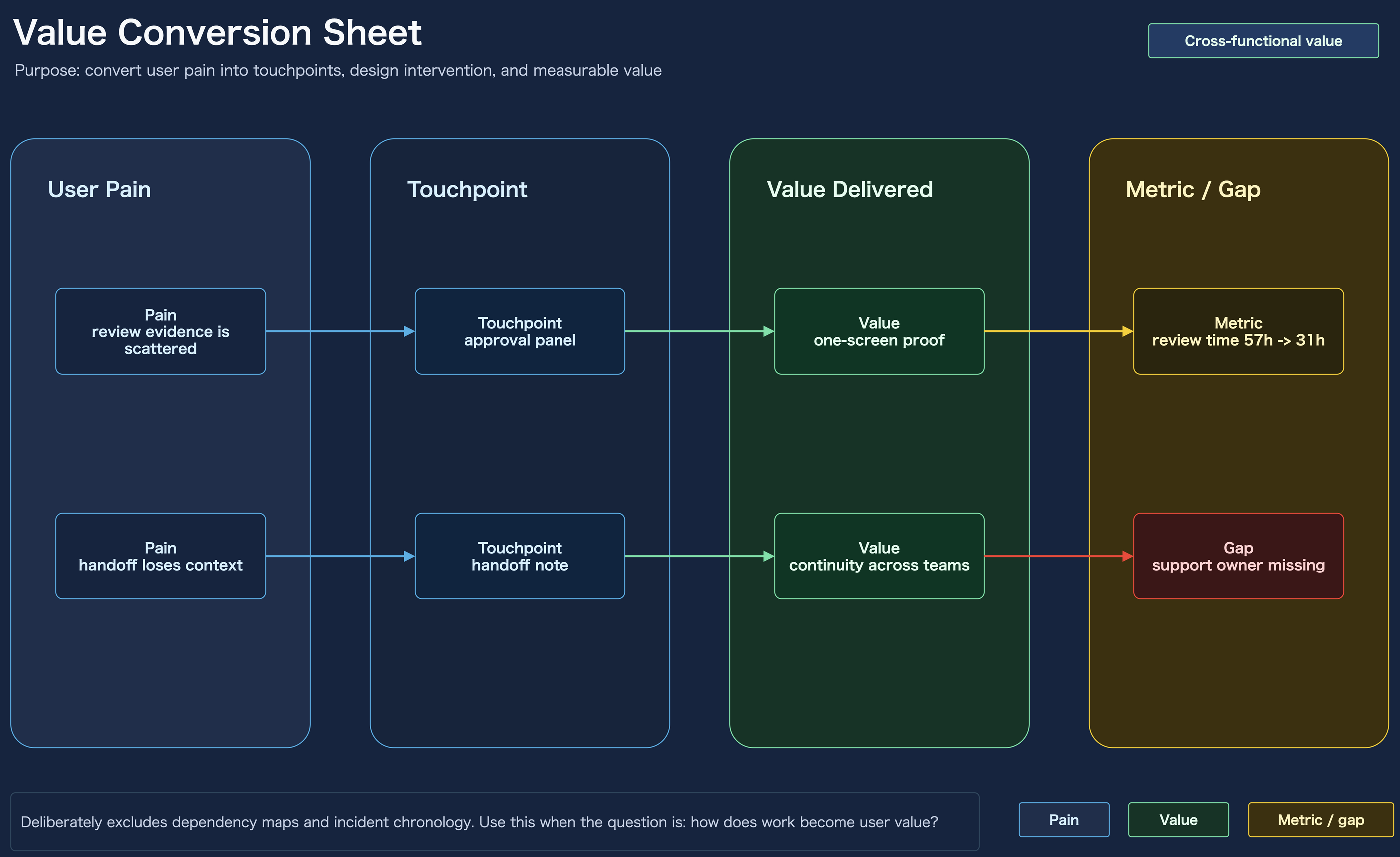
Use this when the question is: how does work become user value?
- Includes: user pain, touchpoint, value delivered, metric, gap
- Excludes: dependency maps, incident chronology
assets/purpose-value-conversion-sheet-template.drawioassets/purpose-value-conversion-sheet-template.drawio.pngassets/purpose-value-conversion-sheet-template.drawio.svg
AWS-Ready Layout Pattern
The repository does not ship a single fixed AWS topology, but it does include the parts you need to build one quickly:
references/aws-icons.en.mdscripts/find_aws_icon.pyassets/draw-io-skill-structure-icons.drawio*
Start from the icon block sample when you want a showcase-style architecture diagram. Replace the existing role icons or blocks with service groups such as Route 53 and CloudFront, API Gateway and Lambda, or S3 and DynamoDB, then run the normal export and SVG lint flow from Export And Lint.
External Example Links
If you want a public repository example that already ships both the editable source and the rendered SVG, use this pair from onizuka-game-agi-co:
It is a good real-world reference when you want to compare an editable AWS architecture source with the published SVG that lands in docs.
Short Prompt
Create a native draw.io diagram in an AWS reference-style icon view: light theme, dark navy title bar, cyan accents, white cards, official AWS icons, Noto Sans JP, orthogonal routing, and a note that AWS icons are visual references only for local/GitHub/workflow concepts.