Native LTX workflow surface
Bundle loop control, chunk planning, media assembly, and preview output without relying on extra node packs.
Keep the full ComfyUI surface native from upload widgets to final MP4 output.

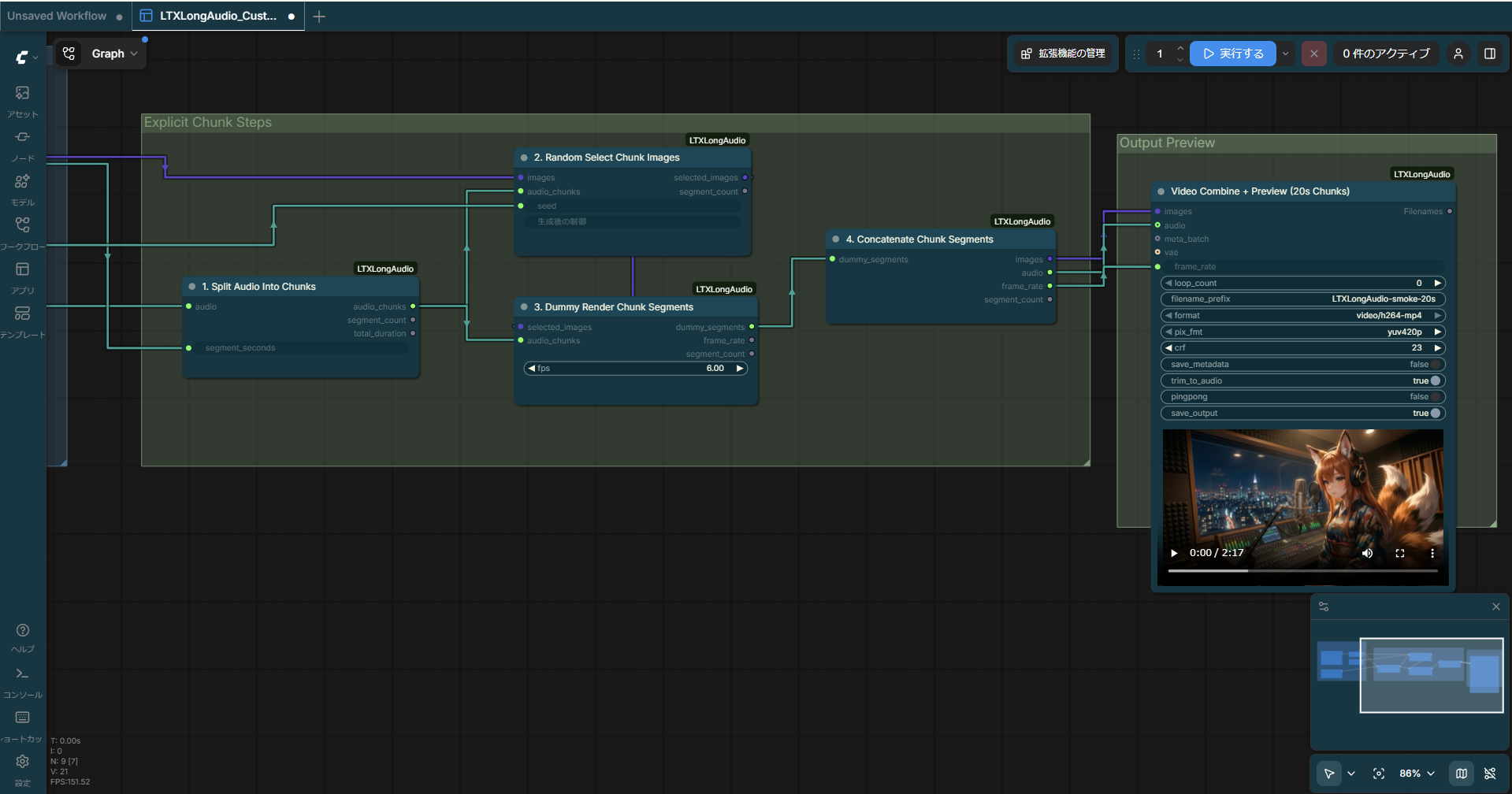
ComfyUI-LTXLongAudio
The repository header uses this workflow overview screenshot so the bundled long-audio graph is visible at a glance.
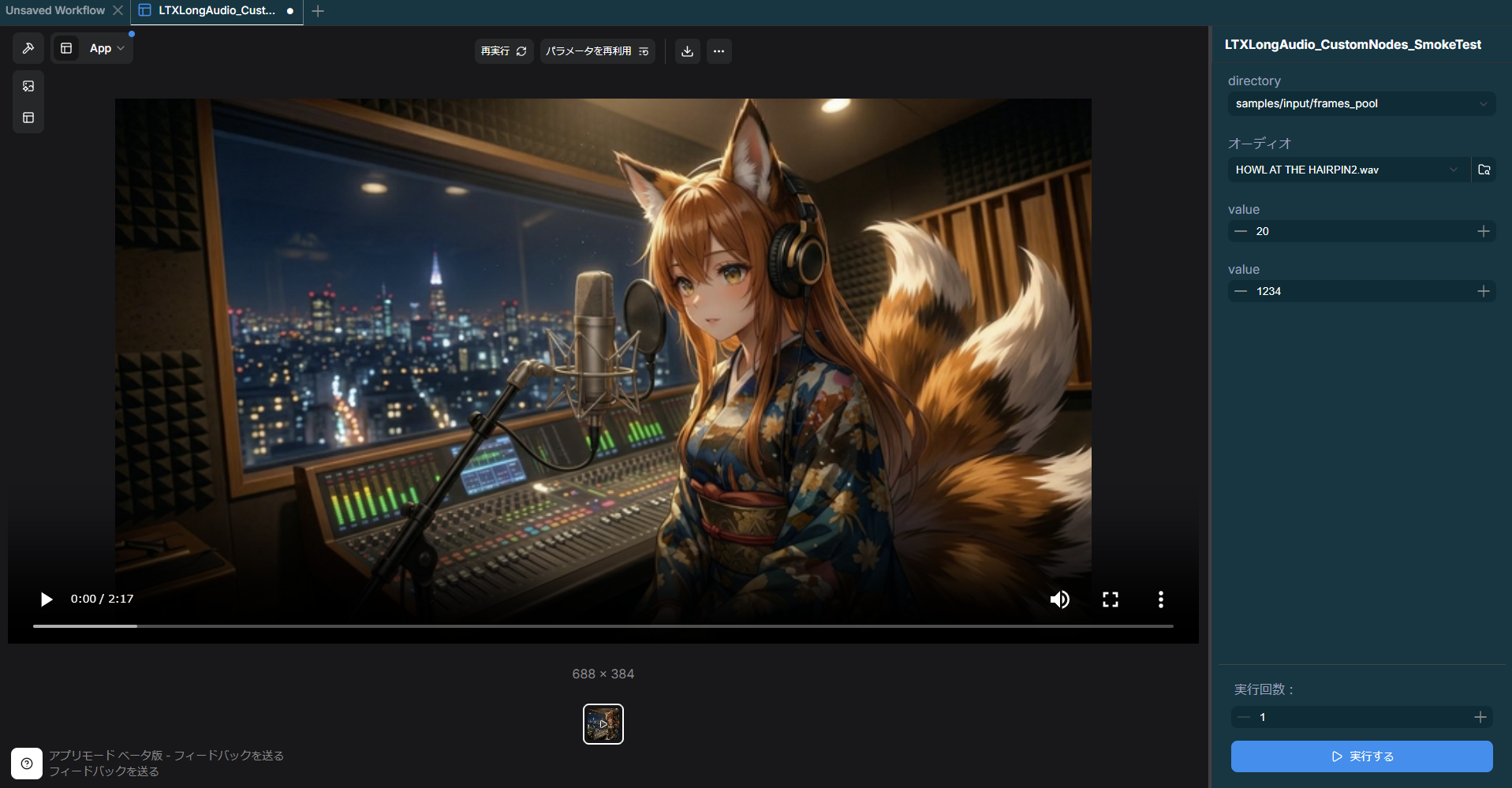
The App mode surface stays intentionally small: choose a frame folder, upload source audio, set chunk length, and keep deterministic seed control.
samples/workflows/ plus lightweight sample image folders in samples/input/.The bundled workflow keeps the UI surface intentionally small:
| App mode input | Purpose |
|---|---|
Frames Folder | Picks the folder that feeds per-chunk still frames. |
Source Audio Upload | Lets you upload the long-form song directly in ComfyUI. |
Segment Seconds | Controls chunk length, defaulting to 20 seconds. |
Random Seed | Keeps frame selection deterministic across reruns. |
The workflow currently analyzes to 3 groups and 9 nodes, with one final output node selected for App mode preview.
uv run pytestuv run python scripts/check_workflow_layout.py samples/workflows/LTXLongAudio_CustomNodes_SmokeTest.json --require-all-nodes-in-groups --require-app-modeuv run python scripts/run_comfyui_api_smoke.py --workflow samples/workflows/LTXLongAudio_CustomNodes_SmokeTest.json --comfy-root /path/to/ComfyUITIP
run_comfyui_api_smoke.py keeps ltx-demo-tone.wav as the tracked default. If you also keep a longer local HOWL AT THE HAIRPIN2.wav, the script prefers it and stages it under the tracked widget filename.